AuraPlex X4

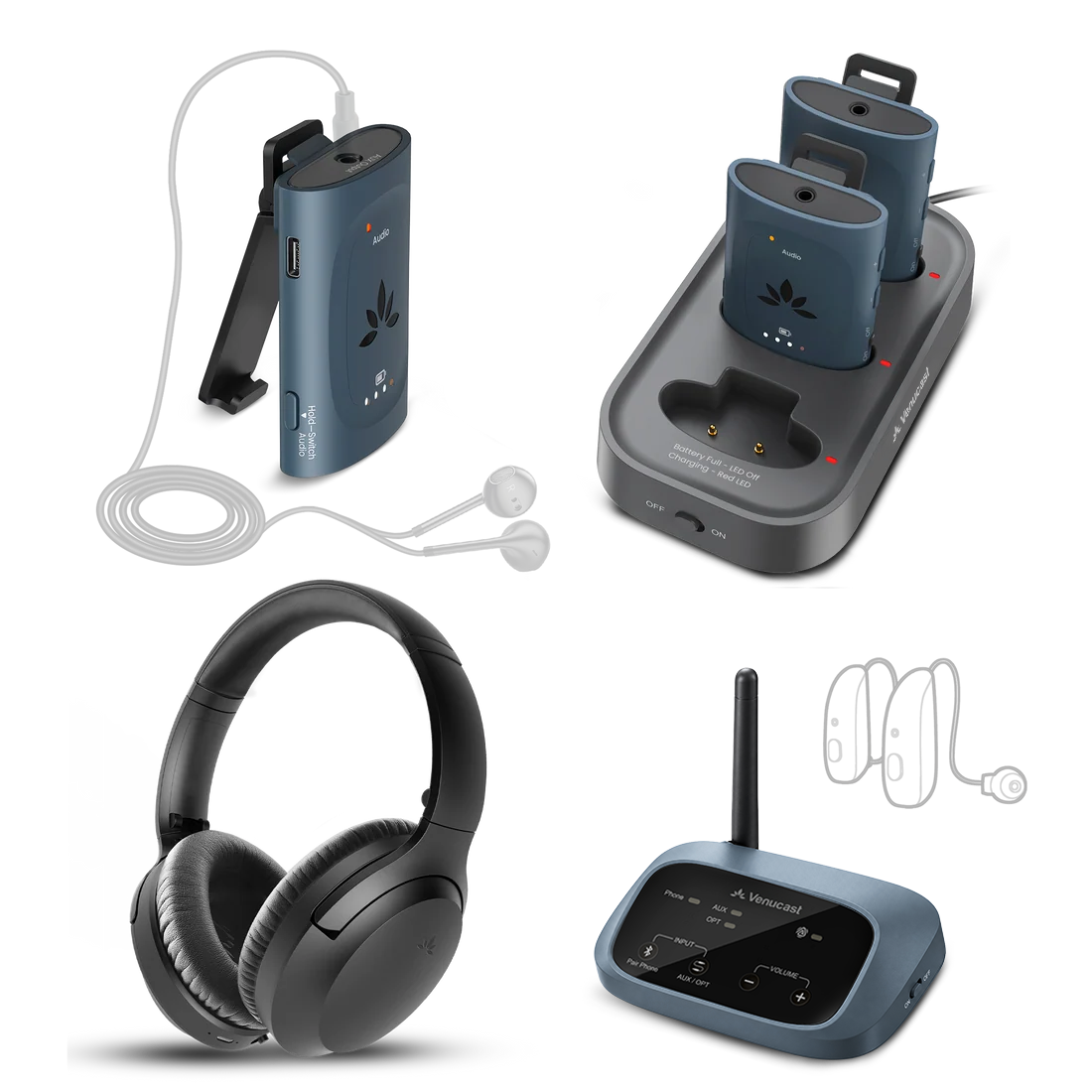
Auracast Group (3 Auraclip & 1 Aria Aura) Listening Kit w/ Charging Dock

$399.99 $439.94 9% OFF
Fast Local Delivery1-3 Business Days
60-Day Free ReturnsHassle-Free
2-Year WarrantyPeace of Mind

✓ Supports venue receivers, compatible hearing aids & wireless headphones

✓ A modern alternative to legacy RF assistive listening

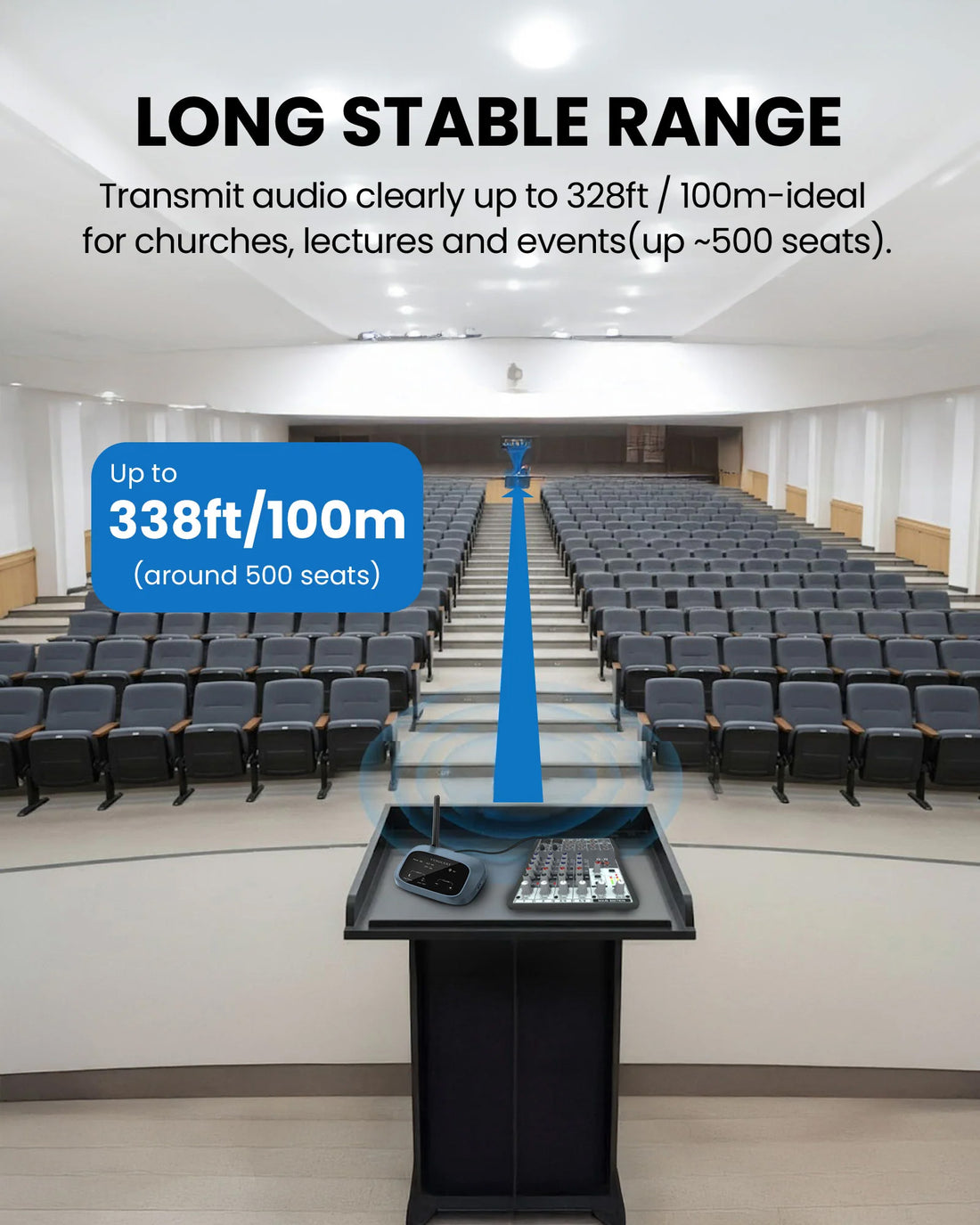
✓ Up to 100m / 328ft line-of-sight coverage

✓ Inputs: AUX, Optical, Bluetooth

✓ Approx. 60ms synced audio latency

✓ Expandable beyond the included 3 receivers & 1 headphones

Enhance Your System

Popular accessories customers often purchase together.

3-Pack Wired On-ear Headphones

3-Pack Wired On-ear Headphones

Wired On-Ear Headphones with 3.5mm Jack

$49.99

3-Pack Wired Over-ear Headphones

3-Pack Wired Over-ear Headphones

Wired Over-Ear Headphones with 3.5mm Jack

$79.99
FreeMic W

FreeMic W

Wireless Headset Microphone System for Powered Speakers, Mixer, & Ven...

$59.99

Is this system right for your venue?

Best for

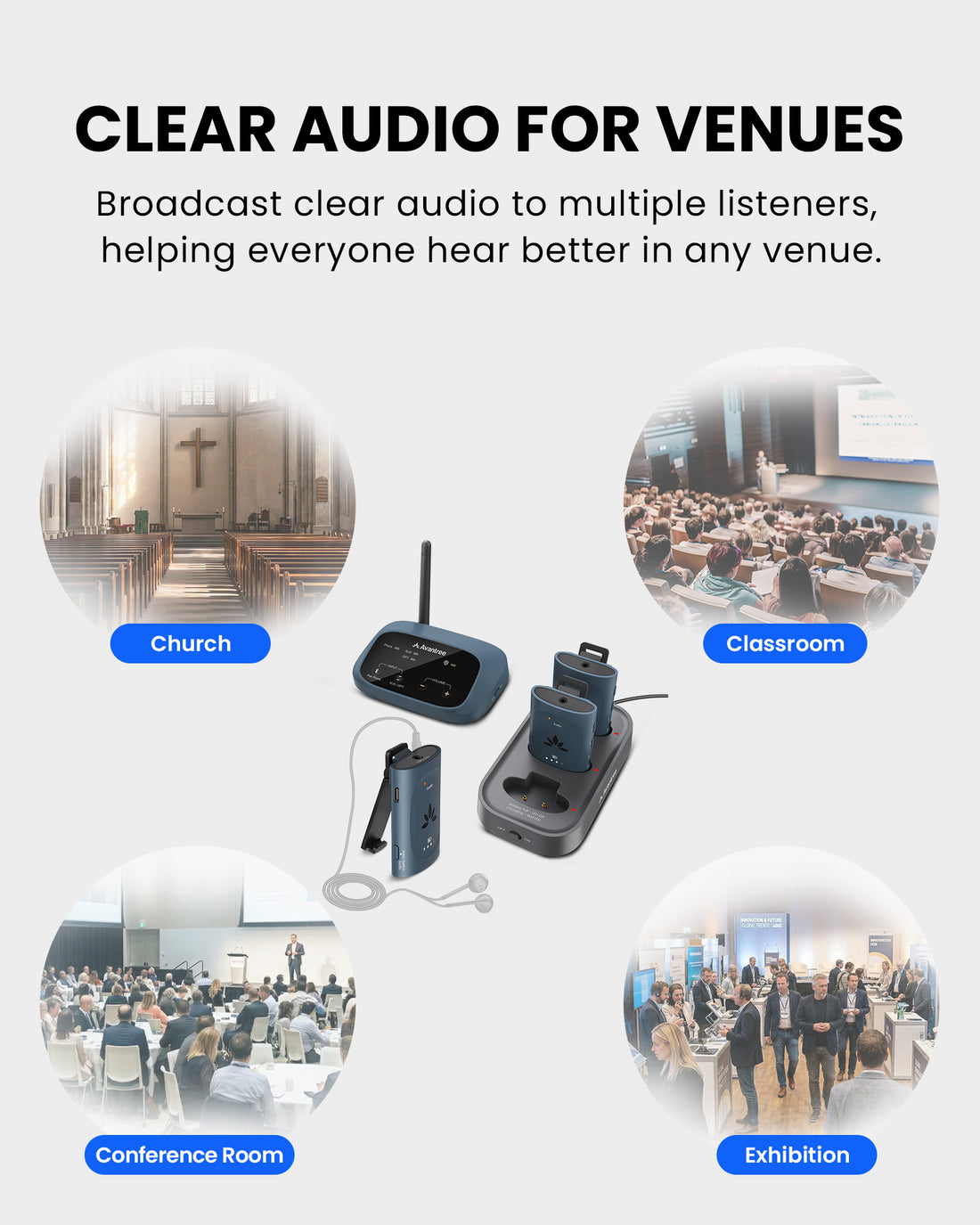
  • Small to mid-sized venues
  • Churches, classrooms, and meeting spaces
  • Indoor environments with clear line-of-sight
  • Shared listening setups (typically up to ~500 seats)
  • Venues supporting guests’ own Auracast™ devices

Not for

  • Large stadiums or arena-scale deployments
  • Outdoor or highly obstructed environments
  • Legacy-only FM or infrared systems
  • Use cases requiring ultra-low latency audio

How listeners join

Venue receivers
1

Venue receivers

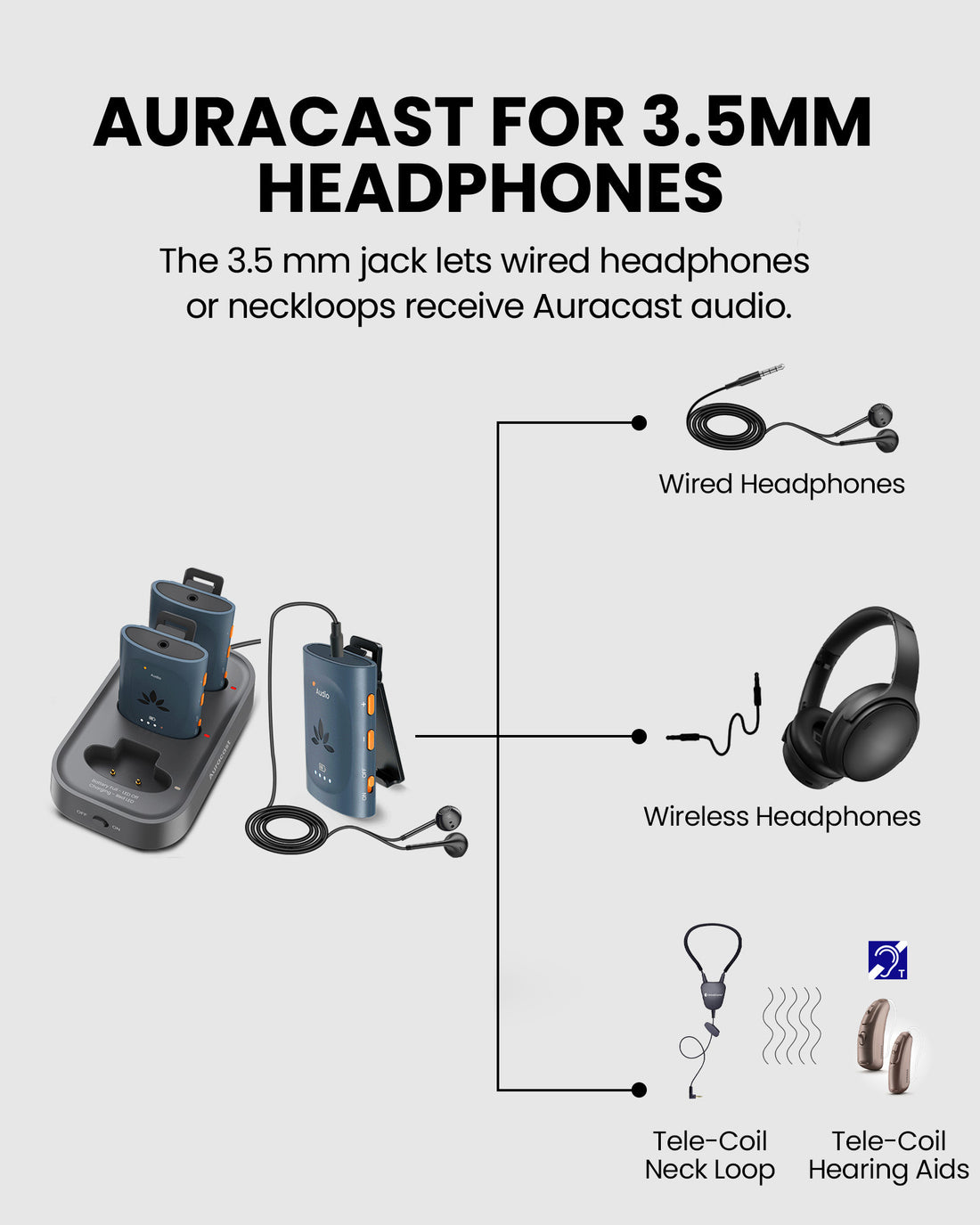
Use the included AuraClip receivers for managed venue listening.

Auracast hearing aids
2

Auracast hearing aids

Compatible hearing aids can join through the hearing aid app or Android Auracast assistant.

Auracast headphones
3

Auracast headphones

Compatible personal headphones can also join the broadcast through supported software flows.

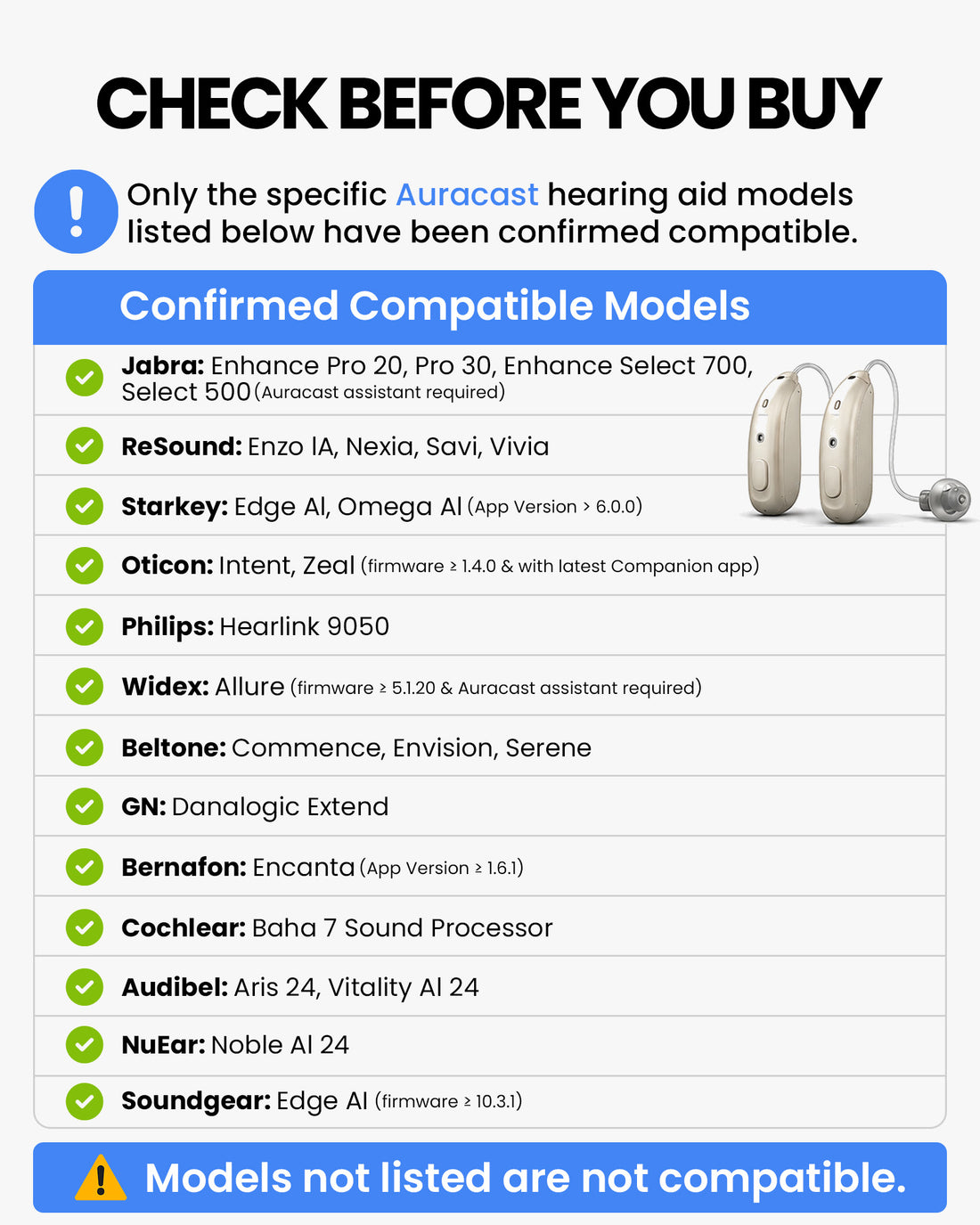
Common compatible hearing aids:
Jabra Enhance Pro 20 / 30, Enhance Select 500 / 700 Oticon Intent, Zeal ReSound Enzo AI, Nexia, Savi, Vivia Starkey Edge AI, Omega AI Beltone Commence, Envision, Serene
More compatible devices available in the
Auracast Hearing Aid Guide

Connect Your Auracast Hearing Aid

Choose your brand below to get a step-by-step connection guide. Not sure which model you have? Scan the QR code for all options.

Quick Checklist

Before You Start

  • Confirm compatibility: Make sure your hearing aids support Auracast and are listed in the brand guide. Compatibility Checker
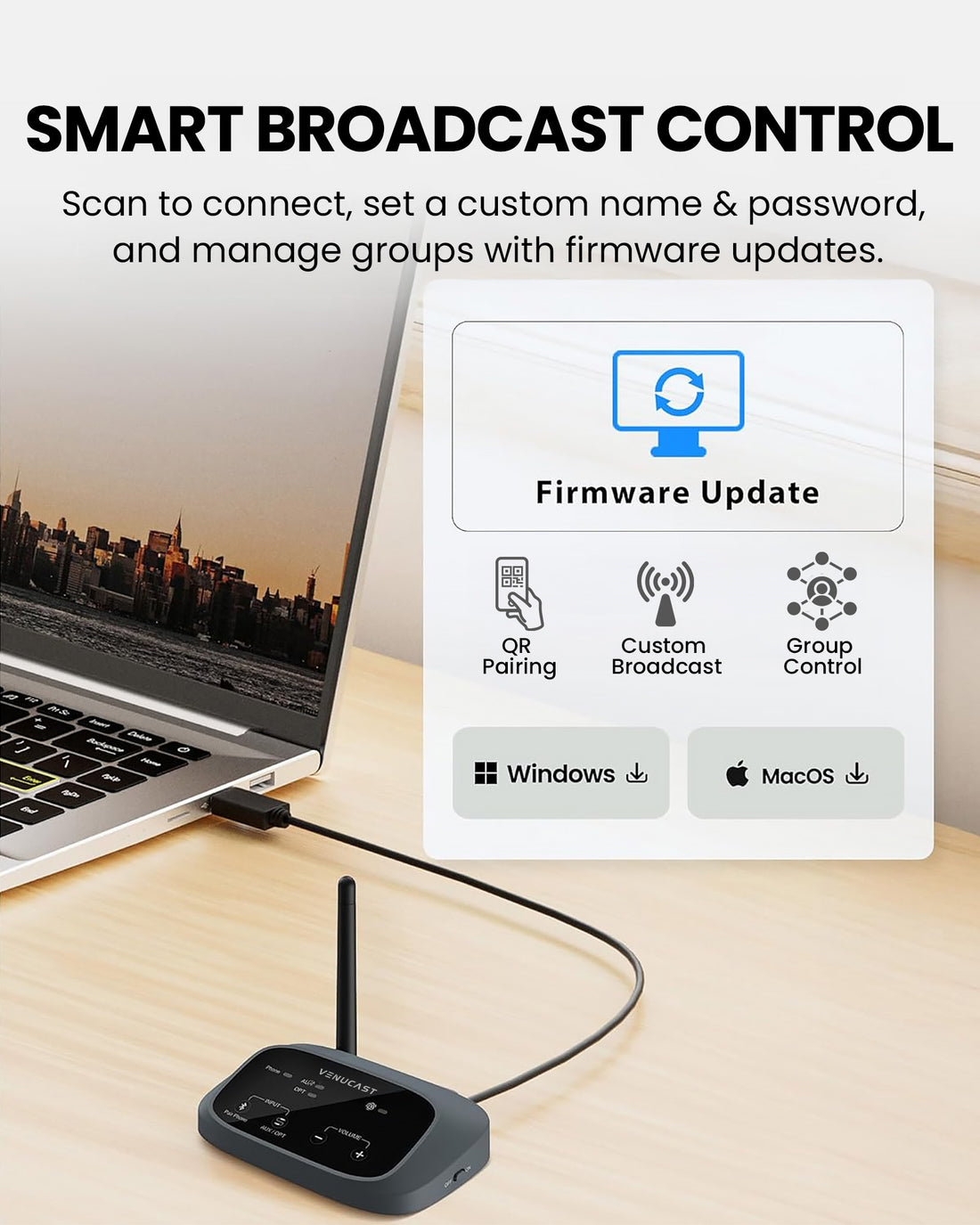
  • Update your hearing aids: Install the latest hearing aid firmware and update your brand's mobile app.
  • Turn on Bluetooth: Keep your phone close to your hearing aids and near the VenuCast transmitter.
  • Join the broadcast: Open your hearing aid app or Android Auracast Assistant, then select the venue broadcast name.

How the system works

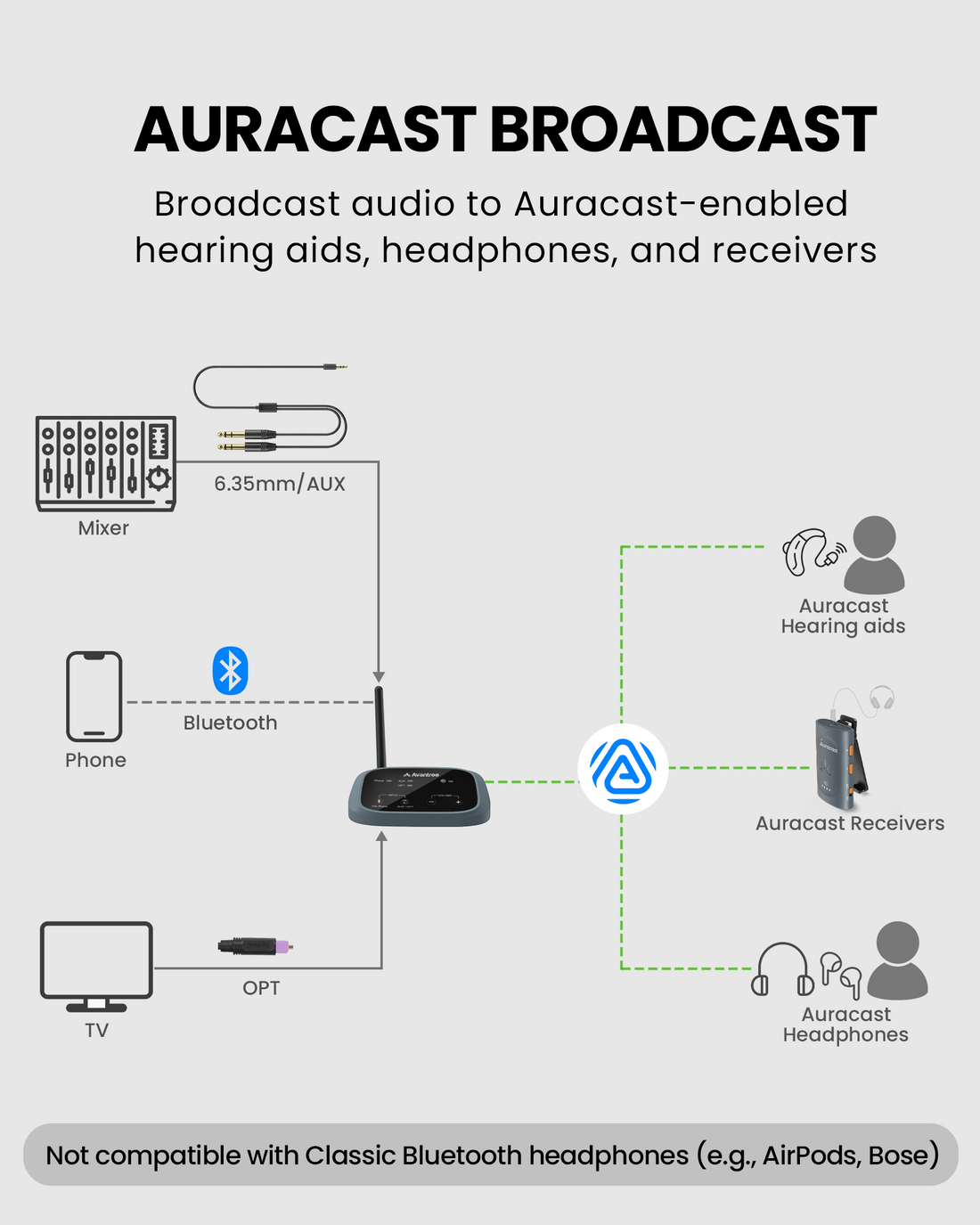
Simple system topology
Venue Audio Source Mixer / TV / microphone / media player
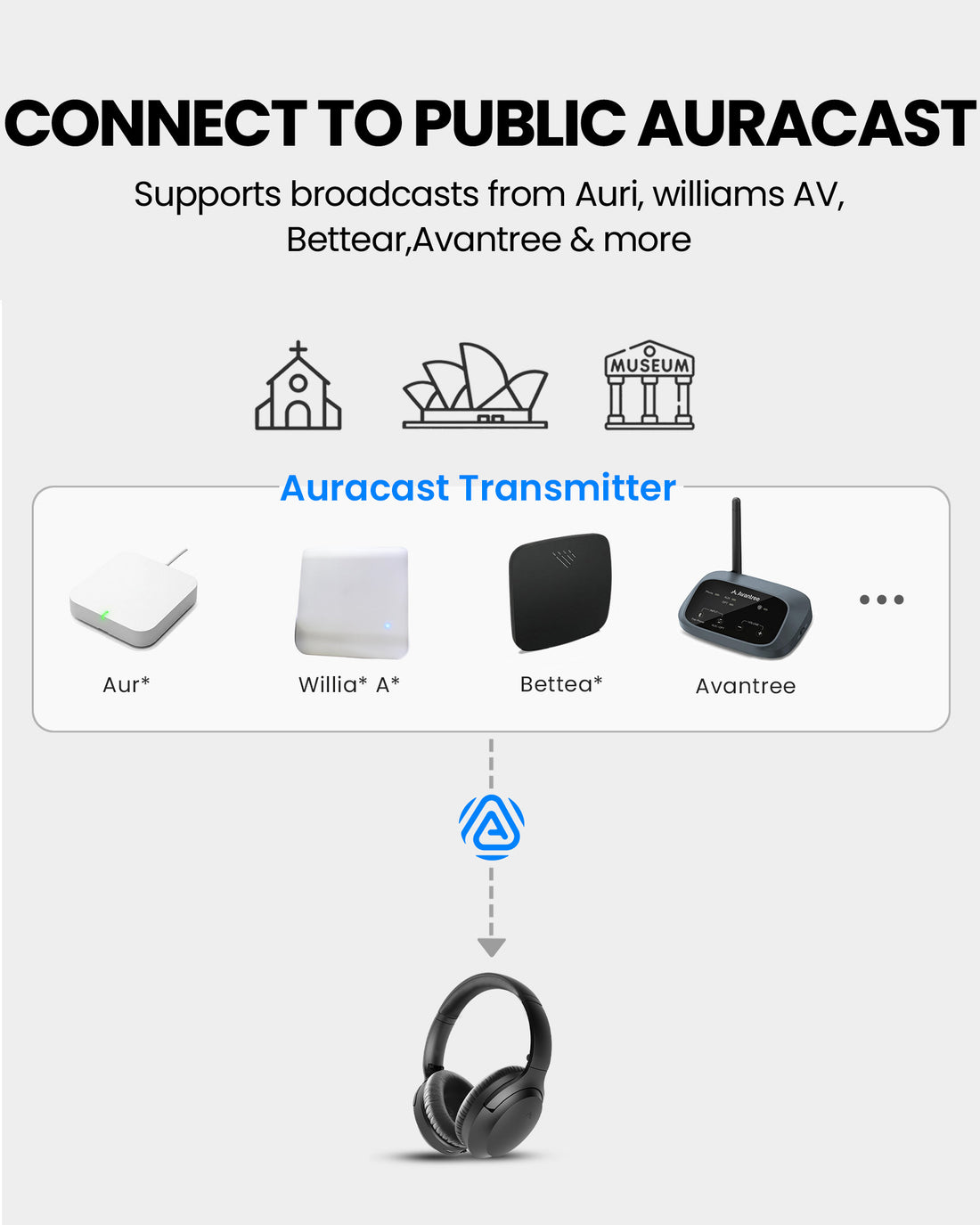
Auracast Transmitter Broadcasts your venue audio through Auracast
Listening Options
Auracast receivers Auracast hearing aids Auracast headphones
Clear Audio for Listeners Speech and program audio are delivered directly to each listener

Audio input options

  • 3.5mm AUX input for analog audio sources
  • Optical input for compatible TVs and digital outputs
  • Bluetooth input for supported wireless sources

Typical venue sources

  • Church mixer output
  • TV audio output
  • Microphone system
  • Media playback device or PC
System inputs and connections
Self-check • No tech knowledge needed

Not sure what you need?

Answer a few quick questions and get a recommended Auracast Assistive Listening System in under 2 minutes.

You’ll see: recommended items + quantities + total price.

Venue Planner

Takes ~ 1–2 min. You’ll get a clear product suggestion immediately.

Local delivery: typically arrives within 7 days.

Expand your system

Add-on

Add more receivers, charging solutions, and related items to support larger venues and day-to-day operations.

Accessories

Explore compatible accessories that help extend your setup and support more flexible listening experiences.