Auracast audio distribution kit - 1 transmitter + 3 receivers

Harmony A3

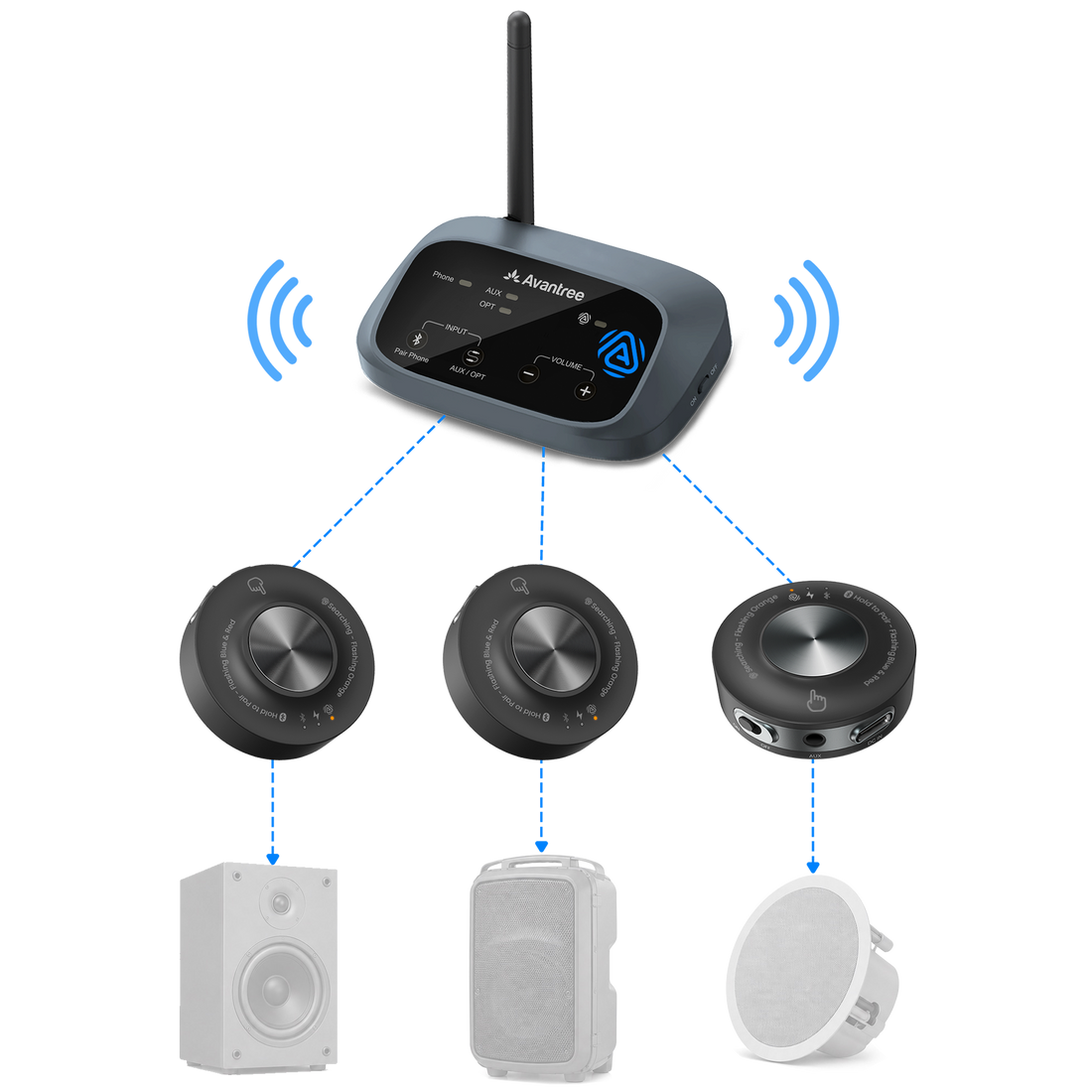
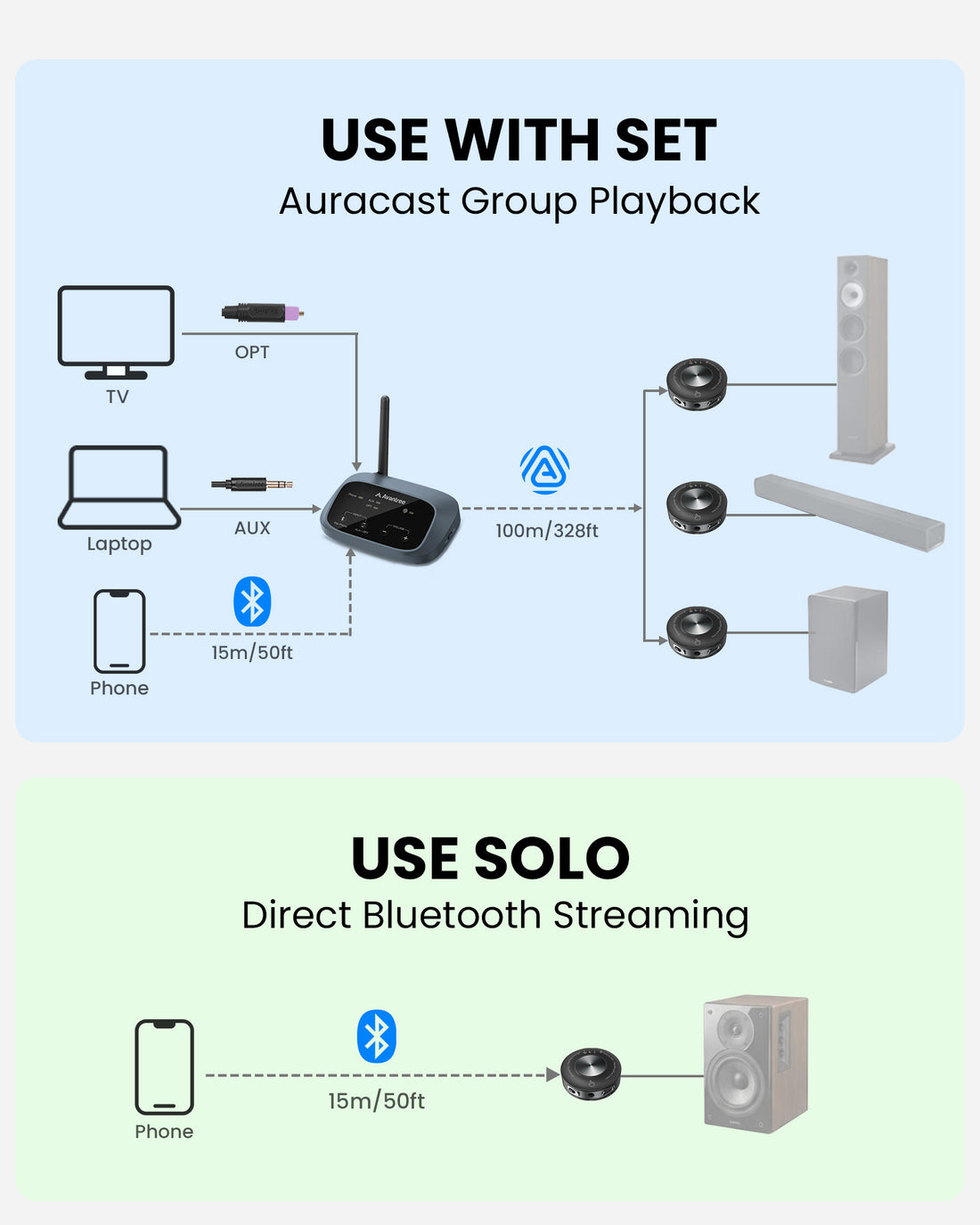
Harmony A3 sends Bluetooth, optical or AUX audio to three existing powered speakers and expands with additional compatible receivers.

1 transmitter + 3 receivers included systemUp to 100m / 328ft line-of-sight coveragePowered speakers via AUX or RCA speaker connection

Checking the fastest delivery option…

Firmware Update Alerts

Get notified when new Harmony A3 firmware is available.

Firmware updates only. No marketing emails.
Fast ShippingReliable Delivery
60-Day Free ReturnsHassle-Free
Bulk DiscountVolume Pricing Available
Free Setup SupportVenue Specialist Included
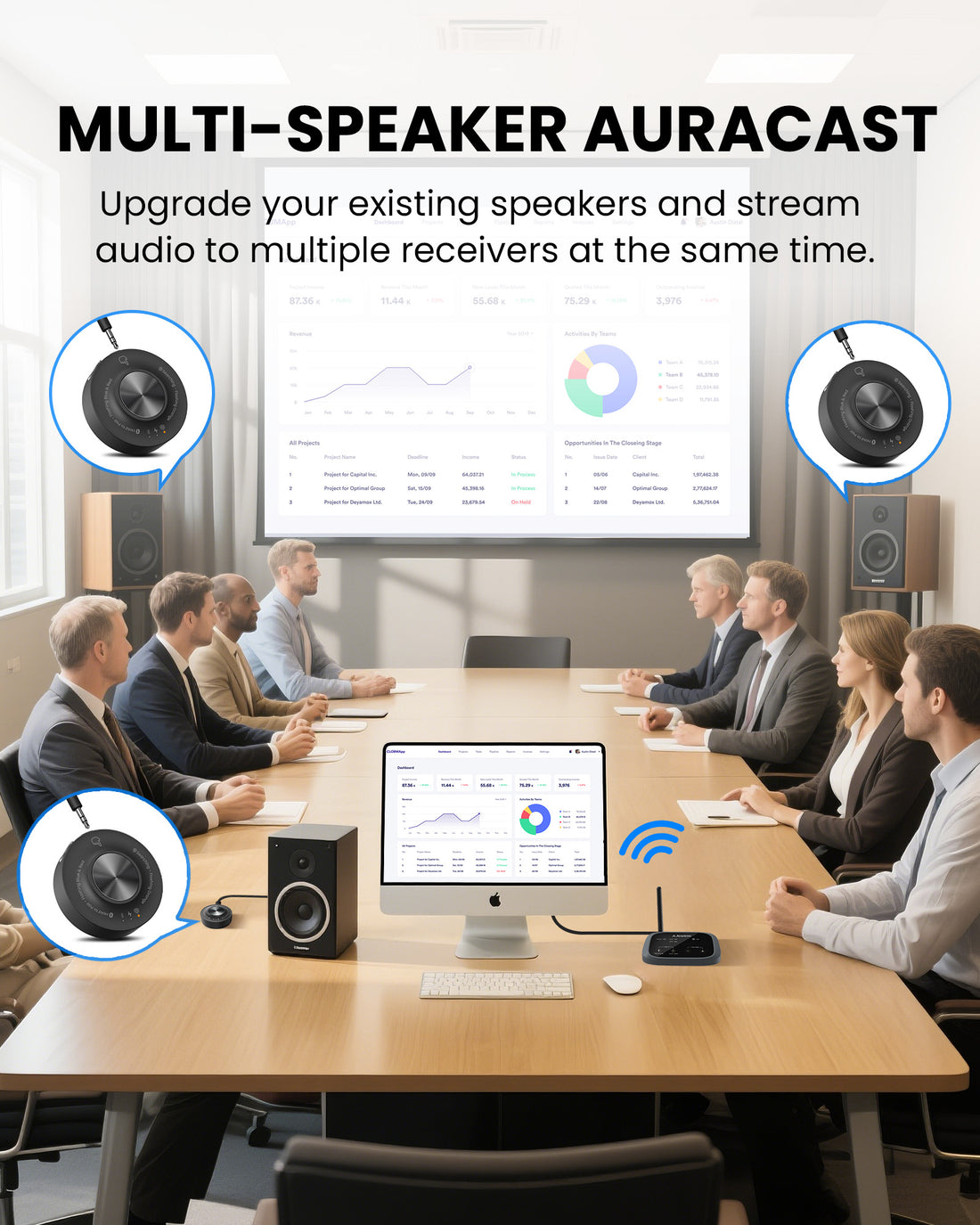
  • Use Existing Powered Speakers – Add Auracast distribution to active speakers with 3.5mm AUX or RCA input.
  • One Source to Multiple Speaker Zones – Send the same program audio to three included receivers out of the box.
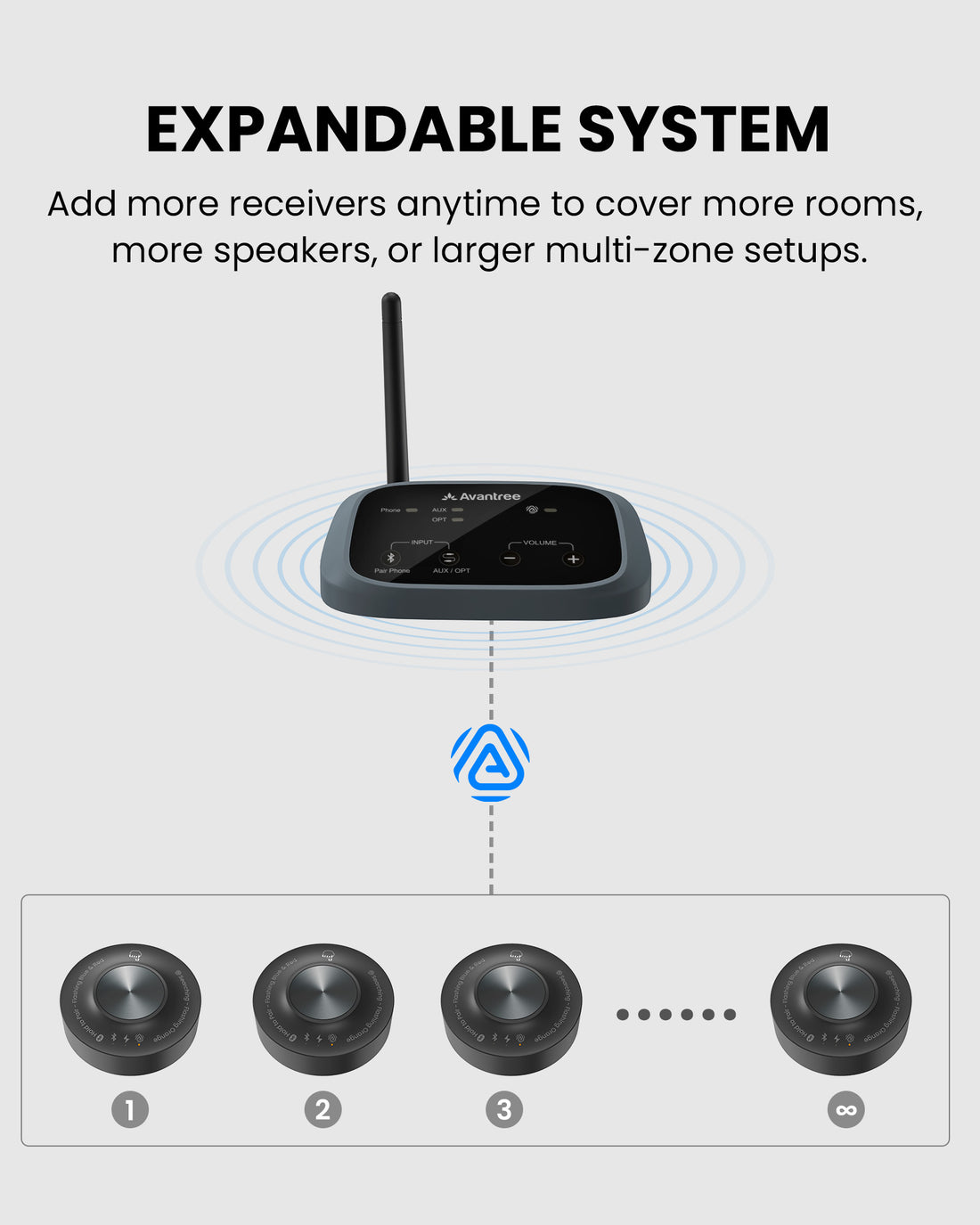
  • Expandable Auracast System – Add compatible receivers as rooms, speakers or listening zones increase.
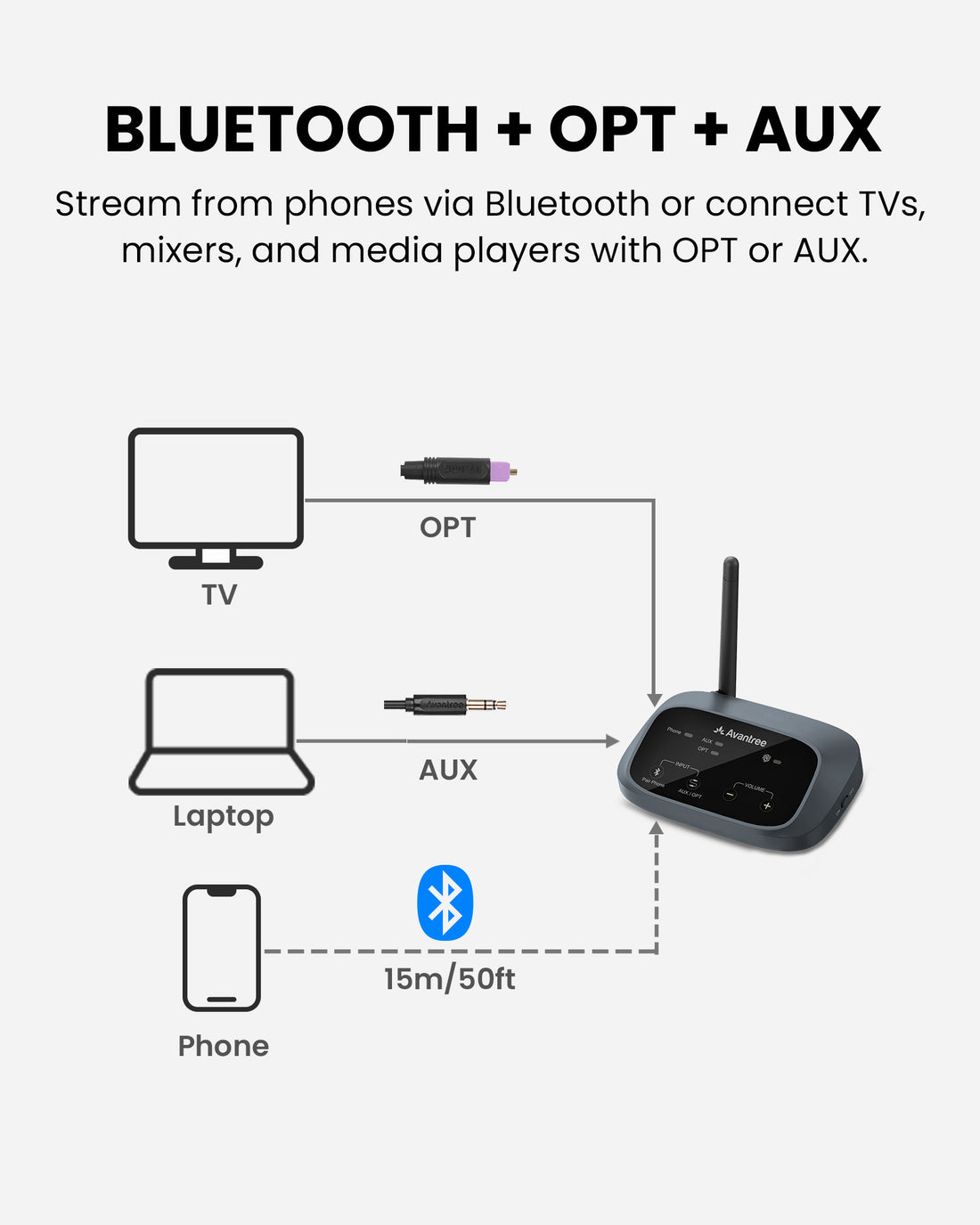
  • Bluetooth, Optical & AUX Inputs – Connect phones, TVs, mixers, computers and compatible media sources.
  • Up to 100m / 328ft Range – Maintain the published line-of-sight connection between transmitter and receivers.
  • Up to 20 Hours per Receiver – Support extended venue operation with rechargeable portable receivers.
  • Broadcast Naming & Password Control – Configure the Auracast broadcast for easier identification and controlled access.
Harmony A3 $299.99

You Don’t Need New Auracast Hearing Aids

VenuCast works with the hearing devices people already use.

  1. Venue Audio
  2. Auracast
  3. Choose how you listen
Modern Auracast hearing aid

Auracast hearing aids

Connect directly to the Auracast broadcast.

Direct Auracast

Traditional hearing aids with an AuraCoil receiver

T-Coil hearing aids

Use AuraCoil to hear through the hearing aid’s T-Coil.

AuraCoil

Traditional Bluetooth hearing aids Aura C receiver connected to a phone

Bluetooth hearing aids

Use Aura C as a bridge for compatible Bluetooth hearing aids.

Aura C

AuraClip Auracast receiver VenuCast wired on-ear headphones

No hearing aids

Use a receiver with headphones or earbuds.

Receiver + Headphones

Bottom line: One Auracast broadcast can serve many different listeners.

01 · Build your system

View all Add-ons & Accessories

02 · How it works

How it works with your devices

Audio sources

  • Bluetooth phone / tablet
  • Optical TV / digital output
  • 3.5mm AUX / mixer
  • Computer / media player
Find the right cable

Product

<tc>Harmony</tc> A3
Harmony A3

Listener pathways

  • Powered speakersConnect each receiver to an active speaker through 3.5mm AUX or RCA.
  • Additional compatible receiversAdd compatible receivers to extend the same broadcast to more powered speakers.
  • Personal Auracast listenersCompatible Auracast receivers, headphones and hearing aids can join the same broadcast.

03 · Where it fits

Where it fits

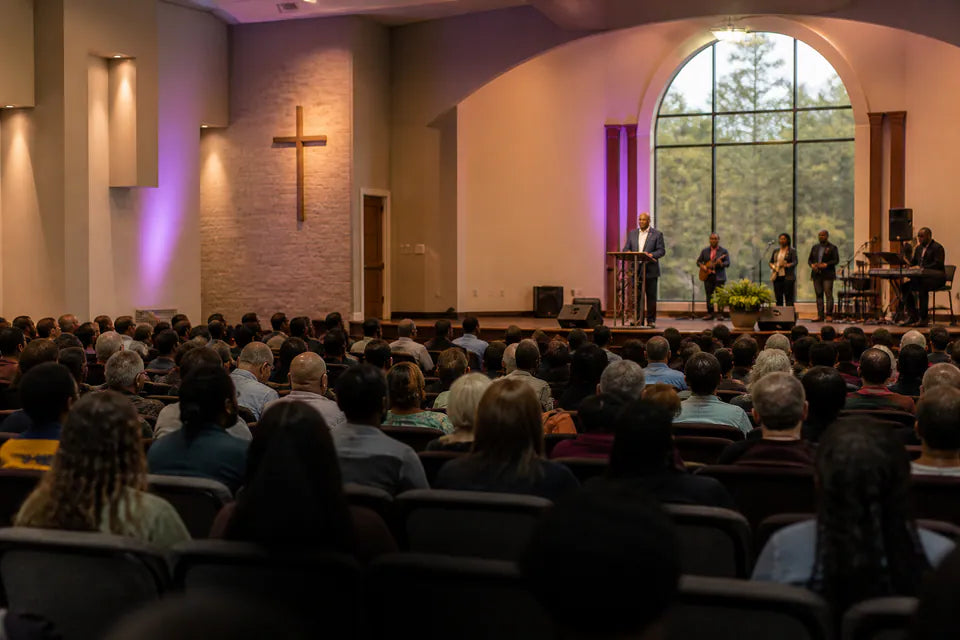
Church & Worship

Church & Worship

Distribute sermons, announcements and program audio to powered speakers across venue areas.

Classroom & Training

Classroom & Training

Share clear speech and lesson audio across connected rooms without long signal cables.

Restaurant & Retail

Restaurant & Retail

Send synchronized background audio to powered speakers in customer and staff zones.

Meetings & Events

Meetings & Events

Expand presentation, music and speech coverage through existing powered speakers.

Best for indoor audio distribution where powered speakers already exist. Range and stability depend on walls, interference, placement and venue layout.

04 · Product details

Product details

Key specifications

Package configuration
1 transmitter + 3 receivers
Wireless connectivity
Bluetooth 5.4 / Auracast
Typical latency
Approx. 50-70ms
Audio inputs
Optical, 3.5mm AUX, Bluetooth
Transmitter-to-receiver range
Up to 100m / 328ft line of sight
Phone/PC-to-transmitter range
Up to 10m / 33ft
Receiver audio output
3.5mm AUX or RCA to powered speakers
Expansion
Add compatible receivers as the system grows
Receiver playtime
Up to 20 hours
Receiver charging
Approx. 1.5 hours by USB-C

Simple setup

  1. 1Connect the audio sourceConnect a TV, mixer, computer, media player or phone through optical, AUX or Bluetooth.
  2. 2Connect the receiversConnect each included receiver to a powered speaker through 3.5mm AUX or RCA.
  3. 3Start and confirm the broadcastPower on the system, join the receivers and confirm audio and volume at each speaker location.
In the box
  • 1 x Harmony A3 transmitter
  • 3 x AuraLink receivers
  • 1 x optical audio cable
  • 1 x 3.5mm AUX audio cable
  • 3 x receiver-to-speaker connection cables
  • USB-C data and power cables
  • 1 x power adapter

05 · Compare

Compare alternatives

FeatureCurrent productHarmony A3Harmony A1Harmony A2
Best forExisting powered-speaker distributionEntry multi-speaker coverageEnhanced multi-speaker soundCompact Auracast speaker system
Included endpoints3 receivers for powered speakers3 x 20W speakers3 x 20W speakers3 compact speakers
Audio inputsBluetooth, optical, 3.5mm AUXBluetooth, optical, 3.5mm AUXBluetooth, optical, 3.5mm AUXBluetooth, optical, 3.5mm AUX
Wireless technologyBluetooth 5.4 / AuracastBluetooth 5.4 / AuracastBluetooth 5.4 / AuracastBluetooth 5.4 / Auracast
Published rangeUp to 100m / 328ft LOSUp to 100m / 328ft LOSUp to 100m / 328ft LOSUp to 100m / 328ft LOS
Speaker connectionExisting powered speakers via AUX/RCAIncluded 20W speakersIncluded 20W speakersIncluded compact speakers

06 · Common questions

Common questions

What is Harmony A3 designed for?

Harmony A3 distributes one audio source to multiple existing powered speakers in churches, classrooms, studios, cafes, gyms, meeting spaces and events.

What is included in the system?

The system includes one Harmony A3 transmitter, three AuraLink receivers, an optical cable, a 3.5mm AUX cable, receiver connection cables, USB-C charging and power cables, and a power adapter.

Can I use Harmony A3 with my existing speakers?

Yes, when the speakers are powered and accept 3.5mm AUX or RCA input. Passive speakers require a separate amplifier and cannot be driven directly by the receivers.

What is the expected wireless range?

The published transmitter-to-receiver range is up to 100m / 328ft line of sight. Walls, people, interference and venue layout can reduce usable range.

Can I add more speakers later?

Yes. Add compatible receivers and connect each one to another powered speaker to expand the system.

Which audio sources can I connect?

Harmony A3 accepts optical, 3.5mm AUX and Bluetooth audio from compatible TVs, mixers, computers, media players and phones.

Can the Auracast broadcast be secured?

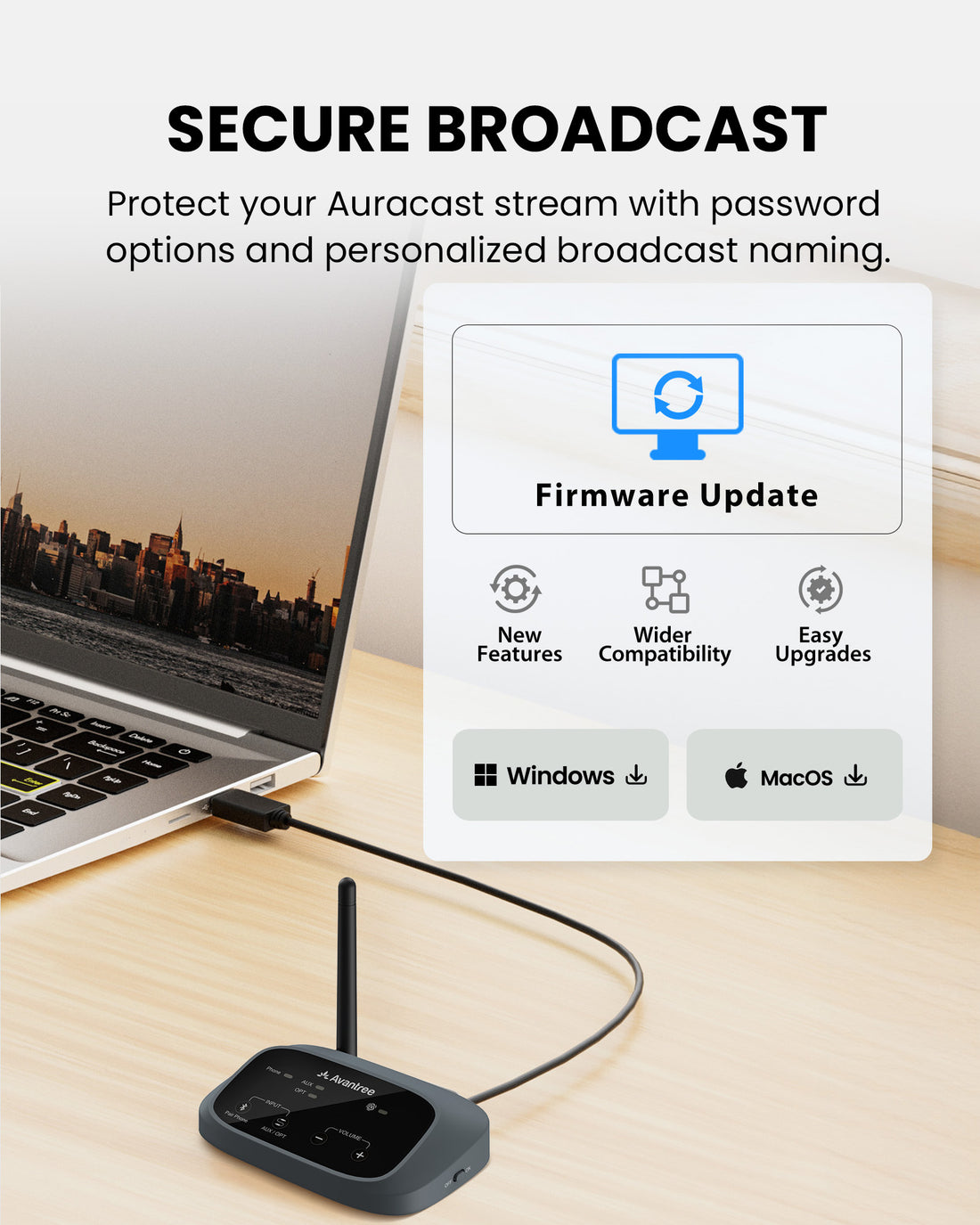
Yes. The transmitter supports a custom broadcast name and password-controlled access for compatible listeners.

How does the Grouping Function work?

The Grouping Function lets you organize compatible VenuCast devices into one group so they work together in the same room or listening area.

View the step-by-step Grouping Function guide →

Designed for straightforward installation

Venue Audio Made Simple

No rewiring. No complicated setup. Connect Venucast to the audio system you already have.

Mixer / Soundboard / PA System
Auracast Transmitter
Auracast Hearing Aids / T-Coil Hearing Aids
Venucast Church Deployment Best Practices Pack with roll-up banner, Auracast signage, hearing aid connection guide, and onboarding guide

READY FOR SUNDAY

Installing the system is only half the job.

Help worshipers discover the service and connect confidently with a ready-made communication pack for a smoother Auracast rollout.

$149.99 Church Deployment Pack

Pre-order now — estimated to ship in late September 2026.

  • One roll-up banner with stand
  • Two A3 Auracast signage posters
  • One hearing aid connection guide
  • One Church onboarding guide
See what’s included