A computer
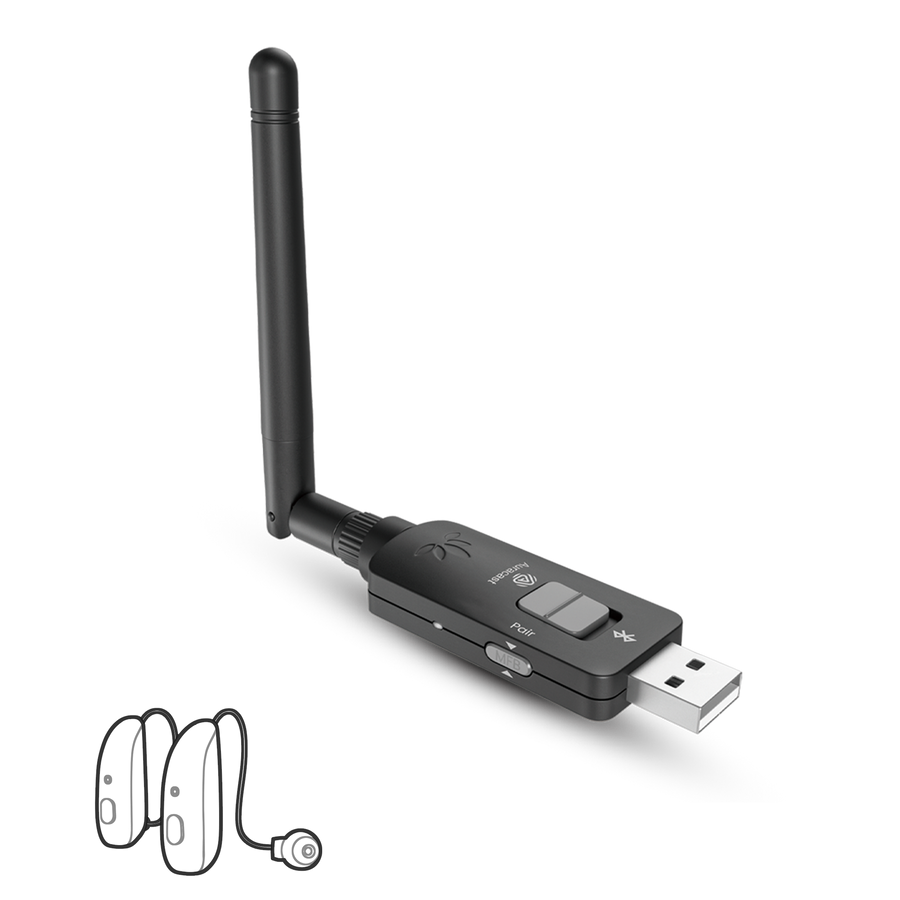
Use USB-A for direct PC or Mac audio in classrooms and training rooms. It is the simplest plug-in option when one computer is the source.
Choose DG60 Aura →Commercial Auracast transmitters
Connect a computer, TV, mixer or professional audio system and create an expandable Auracast broadcast for compatible hearing aids, headphones and venue receivers.
Choose by source and deployment
Start with the available audio output, then check room layout, installation method, line-of-sight conditions, broadcast count and whether staff need remote management.
Use USB-A for direct PC or Mac audio in classrooms and training rooms. It is the simplest plug-in option when one computer is the source.
Choose DG60 Aura →
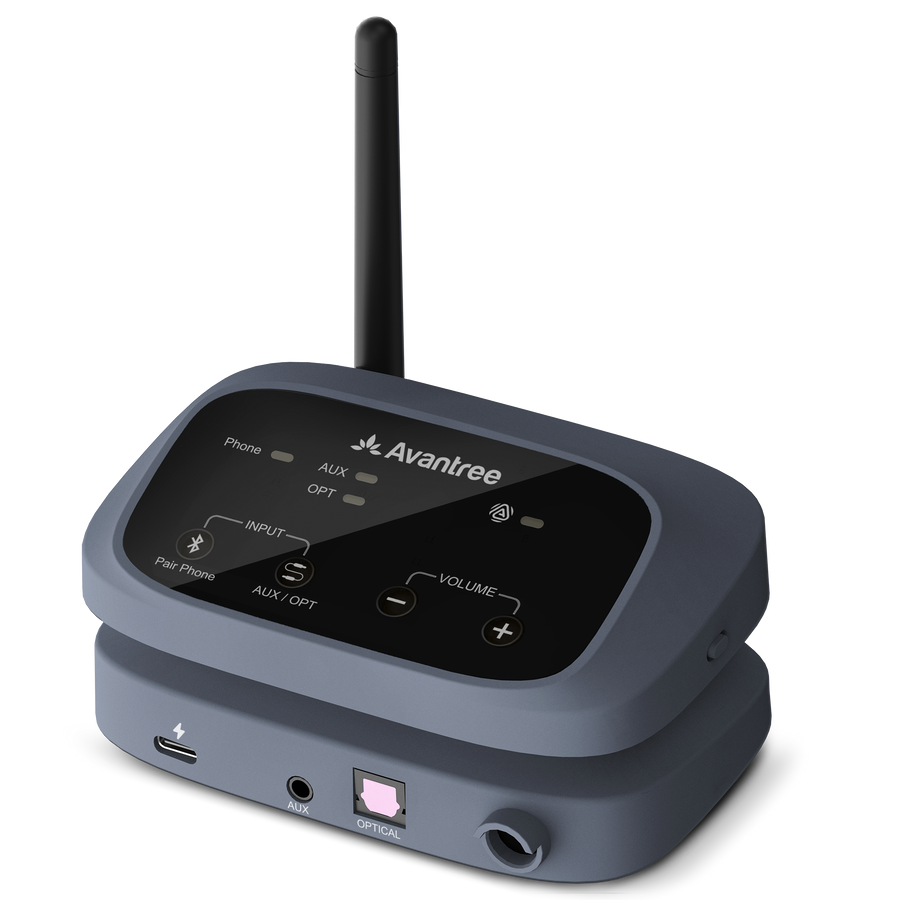
Use optical, 6.35 mm, AUX or Bluetooth for TVs and flexible local sources in small rooms where on-device control is sufficient.
Choose Oasis Aura →Use XLR, 6.35 mm, AUX or Bluetooth for a professional mixer feed. Plan placement and test coverage in the actual church, theater or lecture hall.
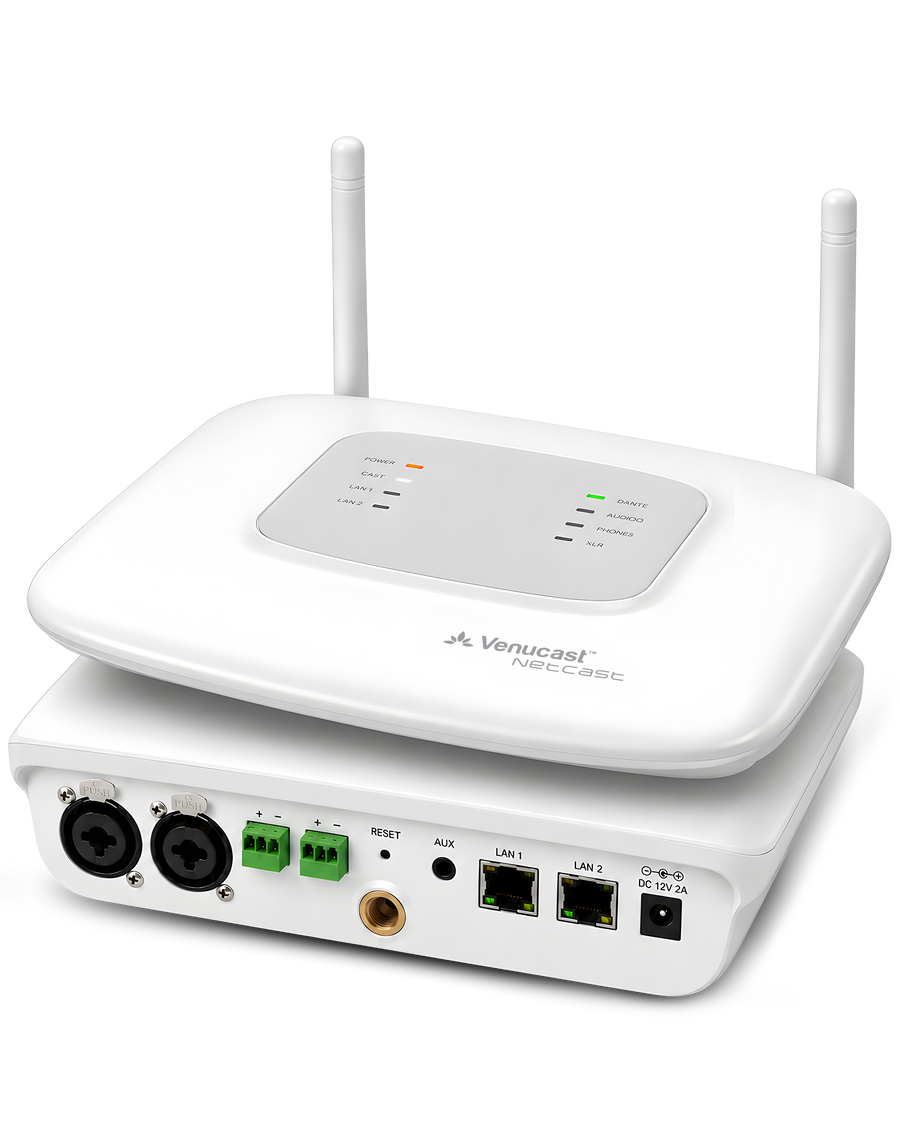
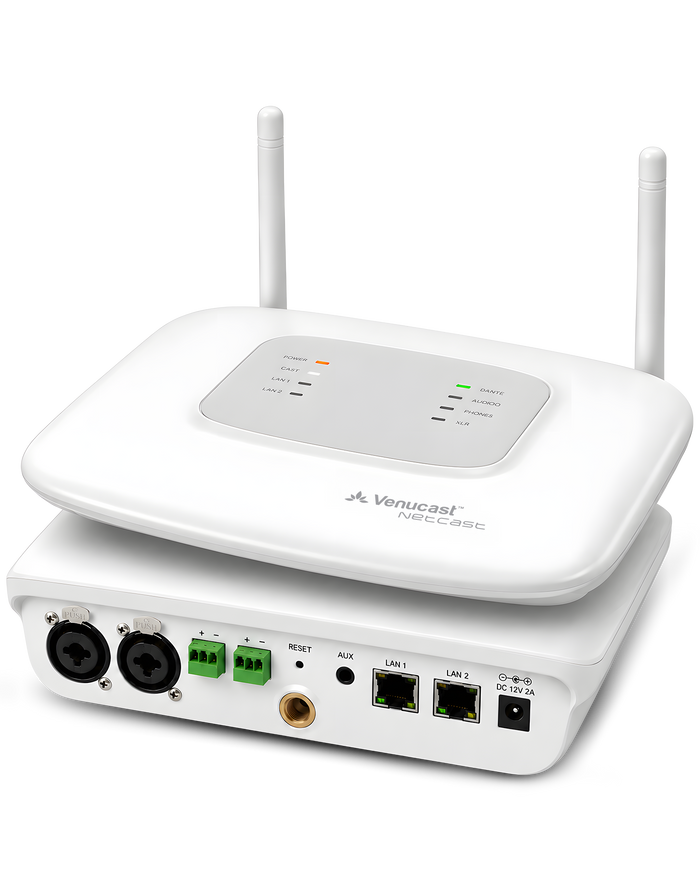
Choose AirCast →Use PoE, professional inputs, Web UI and app management when several spaces, centralized control or two broadcast channels are required.
Choose NetCast →The transmitter collection
Each card summarizes the source input, installation approach, practical coverage condition, broadcast capability and the venue it best serves.
Professional venue transmitter for mixers and installed audio, with long-range performance when placement and line of sight are favorable.
Available
Flexible local transmitter for TV and small-room audio without professional balanced inputs or centralized management.
Network-managed professional system for multi-space venues that need PoE deployment, centralized control and more than one broadcast.
Available
USB-powered plug-in transmitter for one computer source in classrooms, training rooms and compact group-listening spaces.
Pre-order
Portable Auracast microphone transmitter for clearer one-to-one conversations in noisy places and small-group voice broadcasting.
Side-by-side comparison
Published distance figures assume favorable placement and line of sight. Walls, people, RF conditions, antenna position and receiver sensitivity can reduce practical coverage.
| Product | Venue / source | Inputs / power | Coverage / installation | Broadcasts / management | Next step |
|---|---|---|---|---|---|
| DG60 Aura | Computer classrooms and training rooms | USB-A audio and USB power | Single-room plug-in use; test at room edges | $79.99 | View |
| TV and small flexible venues | Optical, 6.35 mm, AUX, Bluetooth | Local installation; walls and placement affect reach | $129.99 | View | |
| AirCastProfessional venue | Churches, theaters and mid-large venues | XLR, 6.35 mm, AUX, Bluetooth | Up to 500 ft / 150 m line of sight; site test recommended | $349.99 | View |
| NetCast | Campuses, multi-zone and managed venues | XLR/6.35 combo, Euroblock, AUX and PoE | Planned multi-space deployment; Web UI/app and dual channels | $999.00 | View |
| AuraMic | Auracast Remote Microphone | One-to-one conversations in noisy places and small-group voice broadcasting | Built-in microphone and rechargeable battery | Portable coverage; test body position and room obstacles | $199.99 | View |
Plan before you install
We can review the audio output, floor plan, wall construction, receiver mix and broadcast plan before equipment is deployed.
Check transmitter placement, sight lines, walls, audience density and RF conditions at the edges of the intended listening area.
Plan broadcast names, access settings and how compatible hearing aids, headphones and venue receivers will join.
Start with one stand-alone source or plan PoE, remote management, dual channels and multiple spaces.
Use the planner for an initial recommendation, request a site assessment, or talk with our team about testing, installation and trial options.
FAQ
Confirm the source output, real-world room conditions, broadcast plan and listener devices before installation.
Range depends on the model, transmitter placement, antenna orientation, receiver sensitivity and RF conditions. Any maximum distance should be treated as a favorable line-of-sight figure; test the actual listening area before final deployment.
Concrete, metal, dense walls, equipment racks, audience bodies and poor antenna placement can reduce reach. Place the transmitter clear of obstructions and verify reception at room edges, entrances and overflow areas.
Broadcast naming and access settings depend on the model and firmware. For separate rooms, languages or programs, plan distinct broadcast names and confirm whether one transmitter, dual channels or several managed transmitters are required.
Use the cleanest compatible output available: USB for a computer, optical or analog outputs for TVs and local sources, and XLR, 6.35 mm, AUX or Euroblock for professional audio. Confirm output level and cabling before installation.
Compatible Auracast hearing aids can join a supported broadcast using their device’s broadcast-assistant workflow. Confirm hearing-aid model, phone or app requirements, firmware and broadcast access settings; keep venue receivers available for guests without compatible personal devices.