AirCast

Long-range Professional Auracast Transmitter for Hearing Aids

$349.99
Fast Local Delivery1-3 Business Days
60-Day Free ReturnsHassle-Free
2-Year WarrantyPeace of Mind
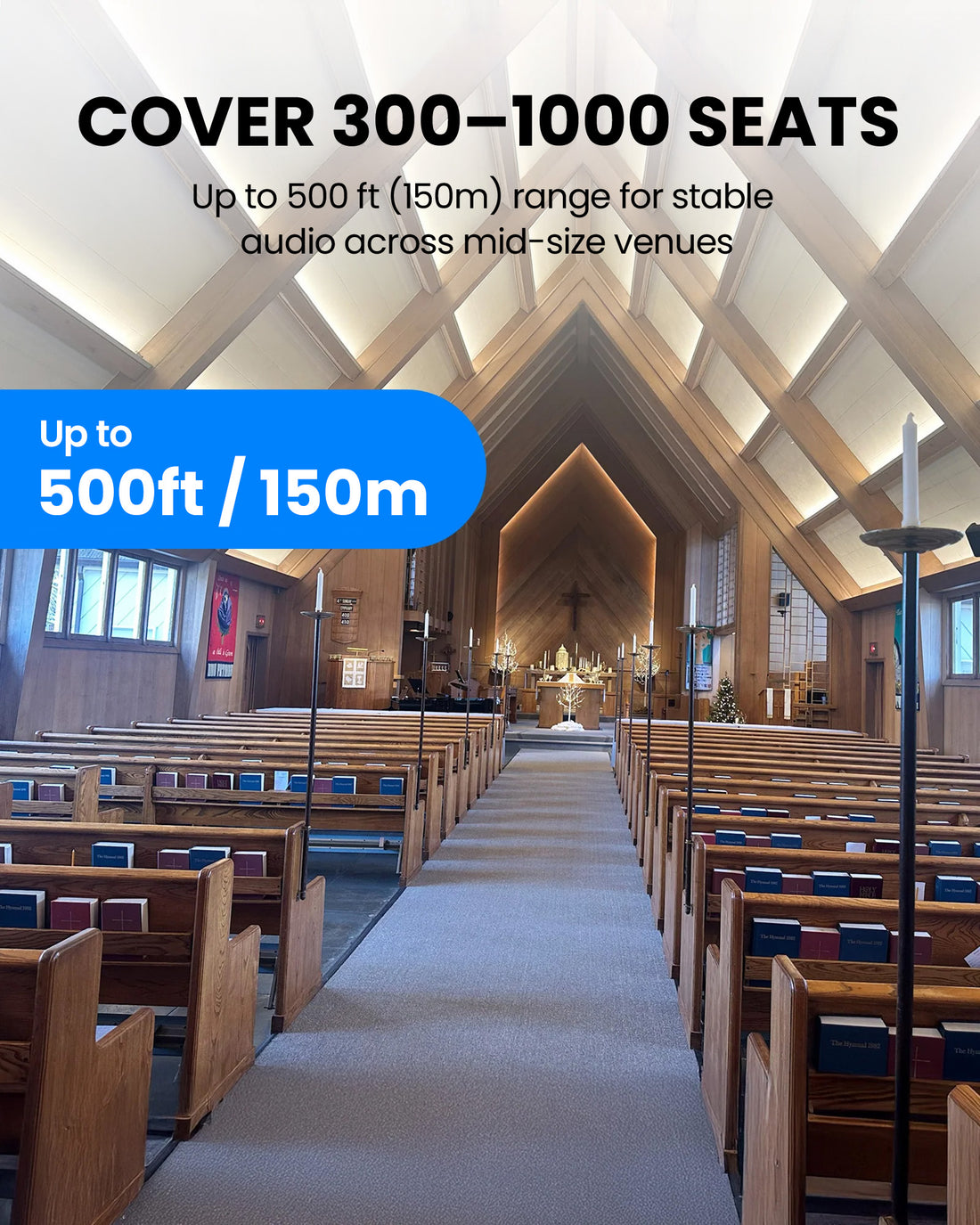
  • Long range coverage – Ideal for 300–1000 seat venues
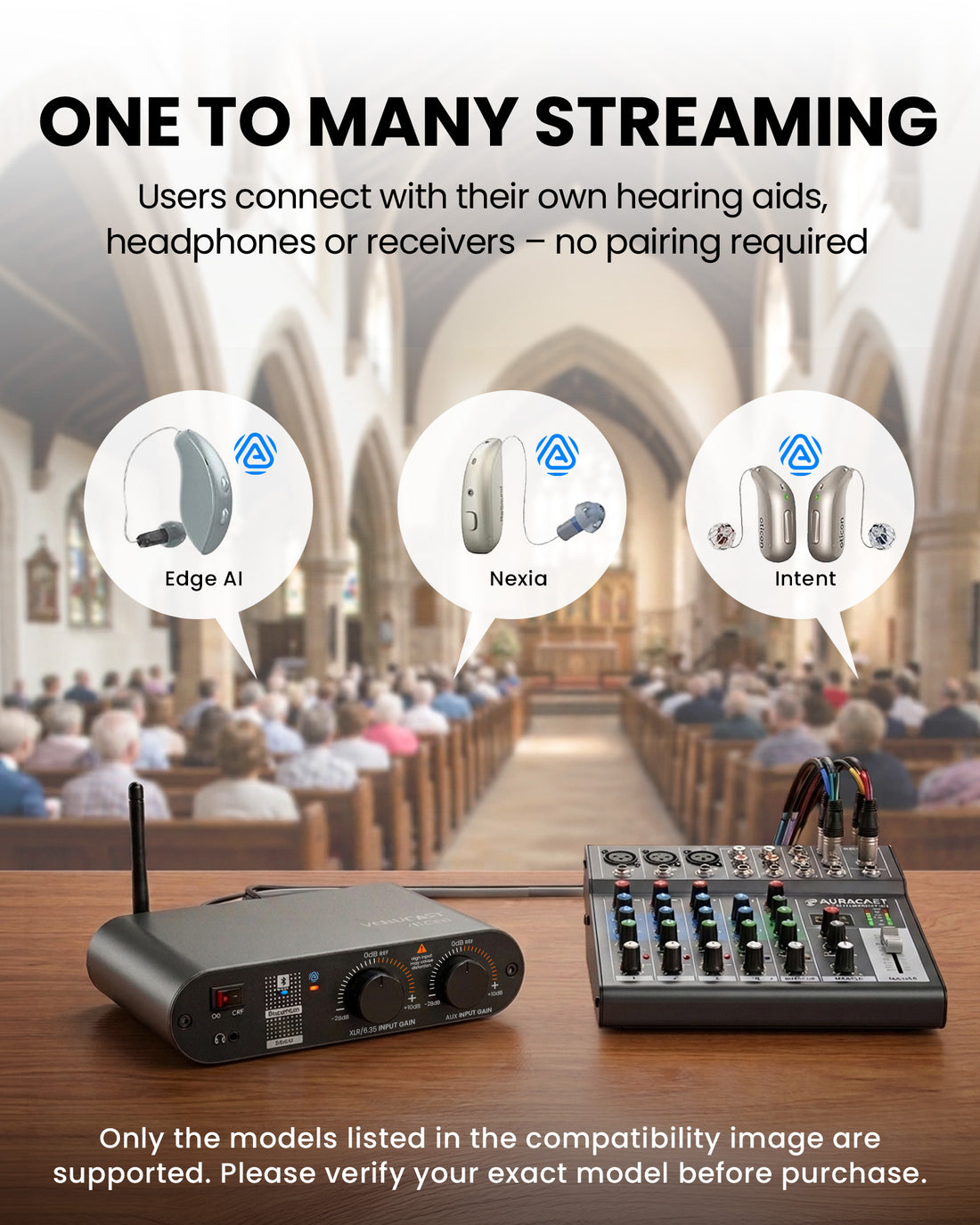
  • Auracast BYOD – Supports hearing aids, receivers & headphones
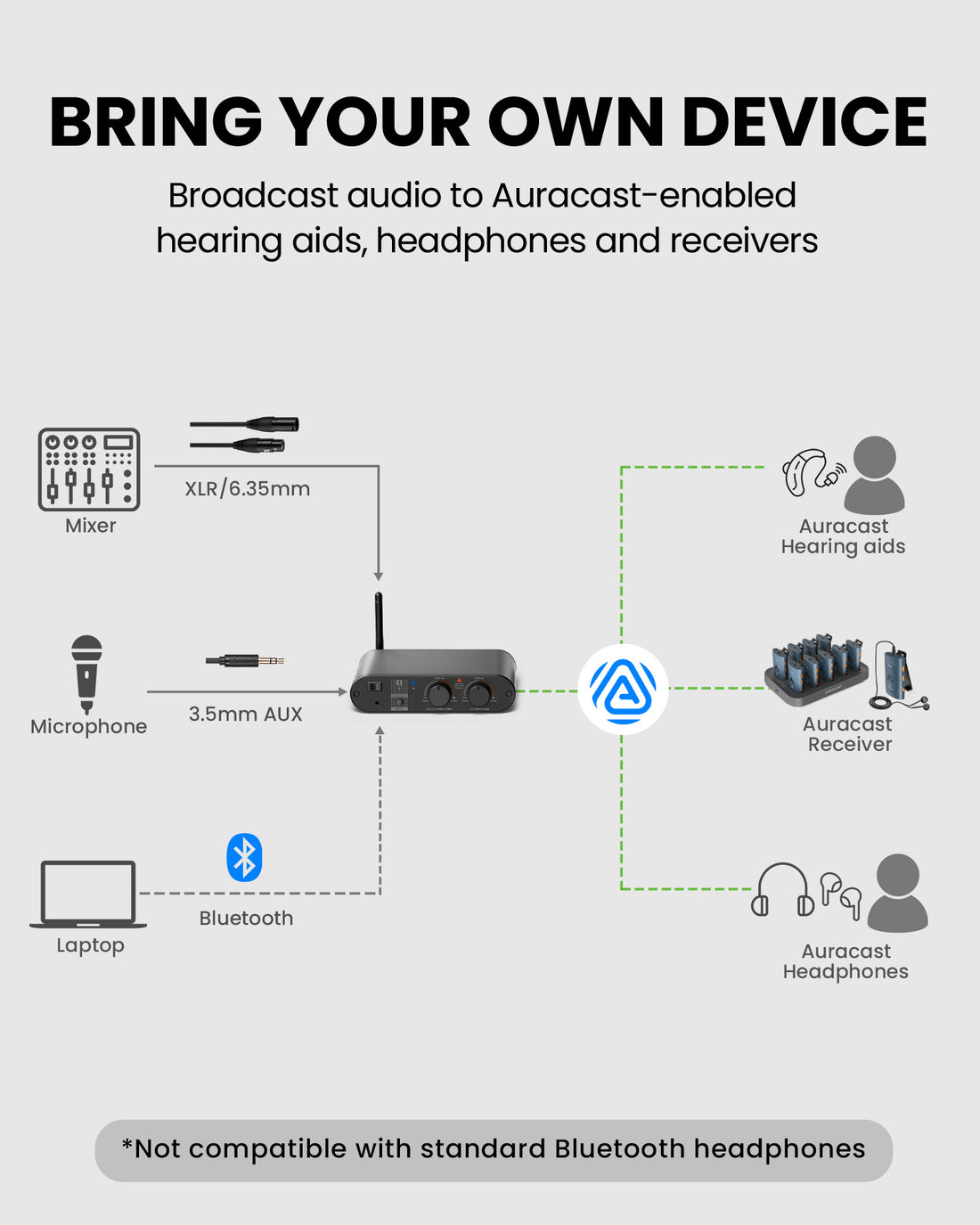
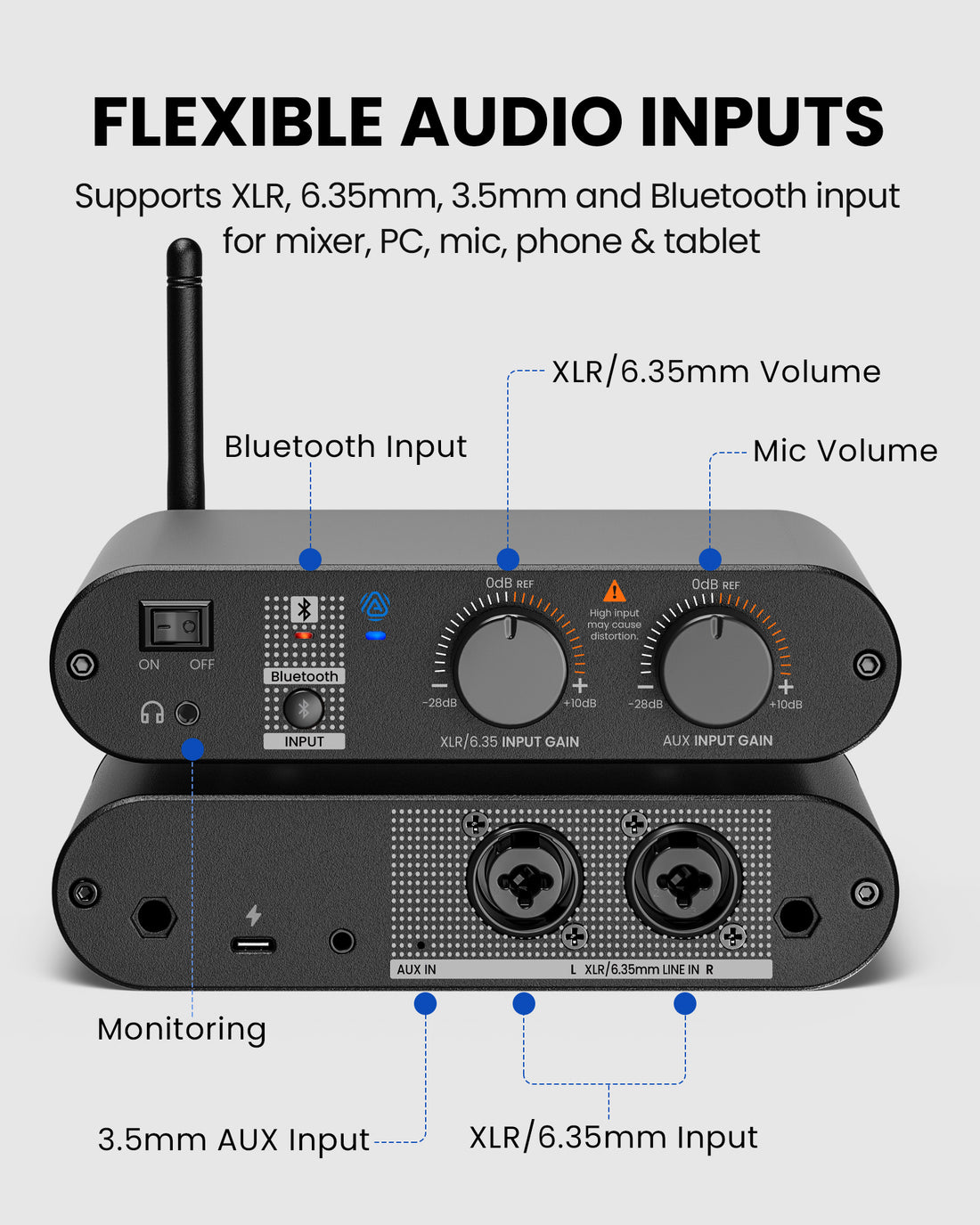
  • Multiple audio inputs – XLR, 6.35mm, AUX & Bluetooth
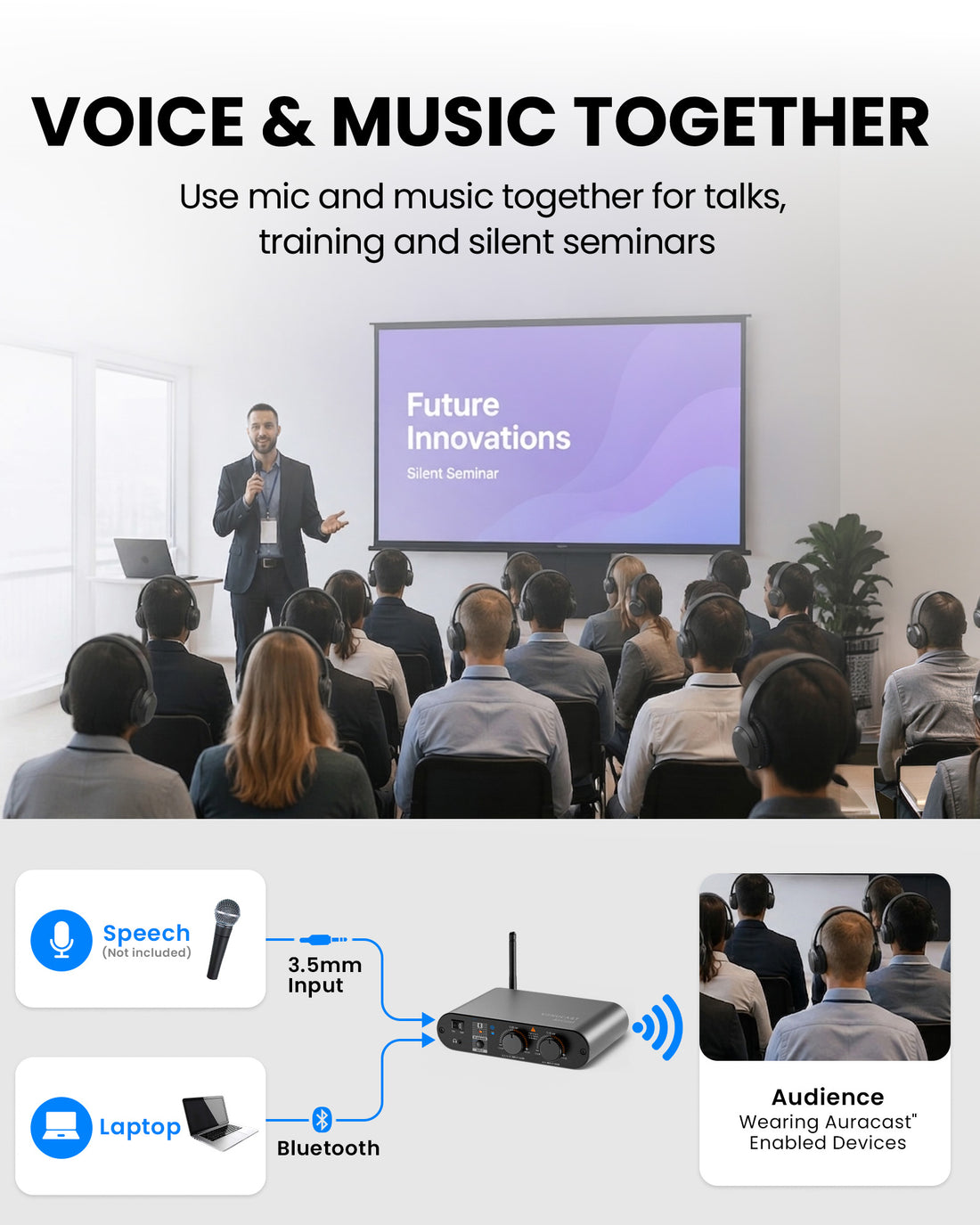
  • Supports simultaneous microphone & background audio
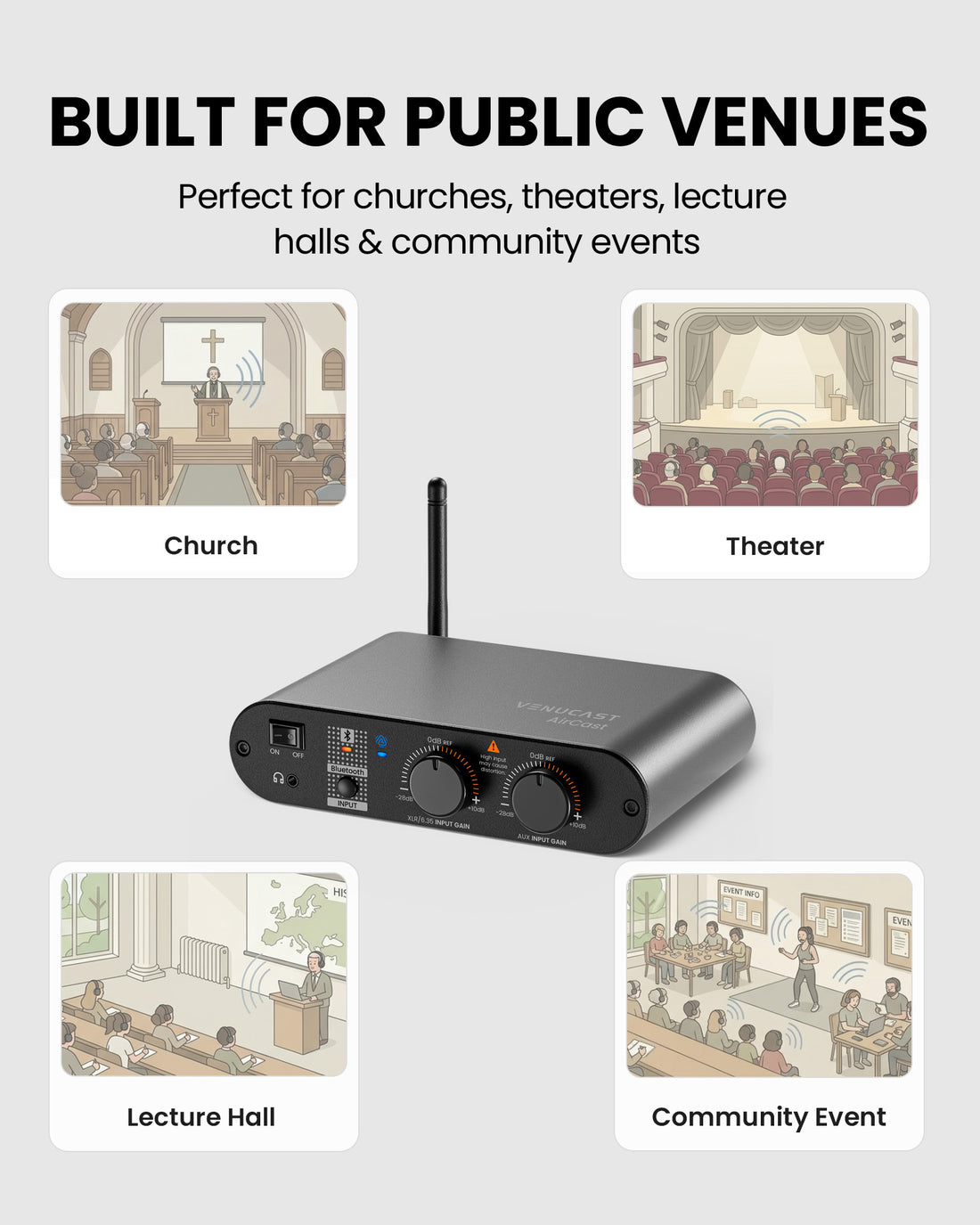
  • Independent mic & background volume control
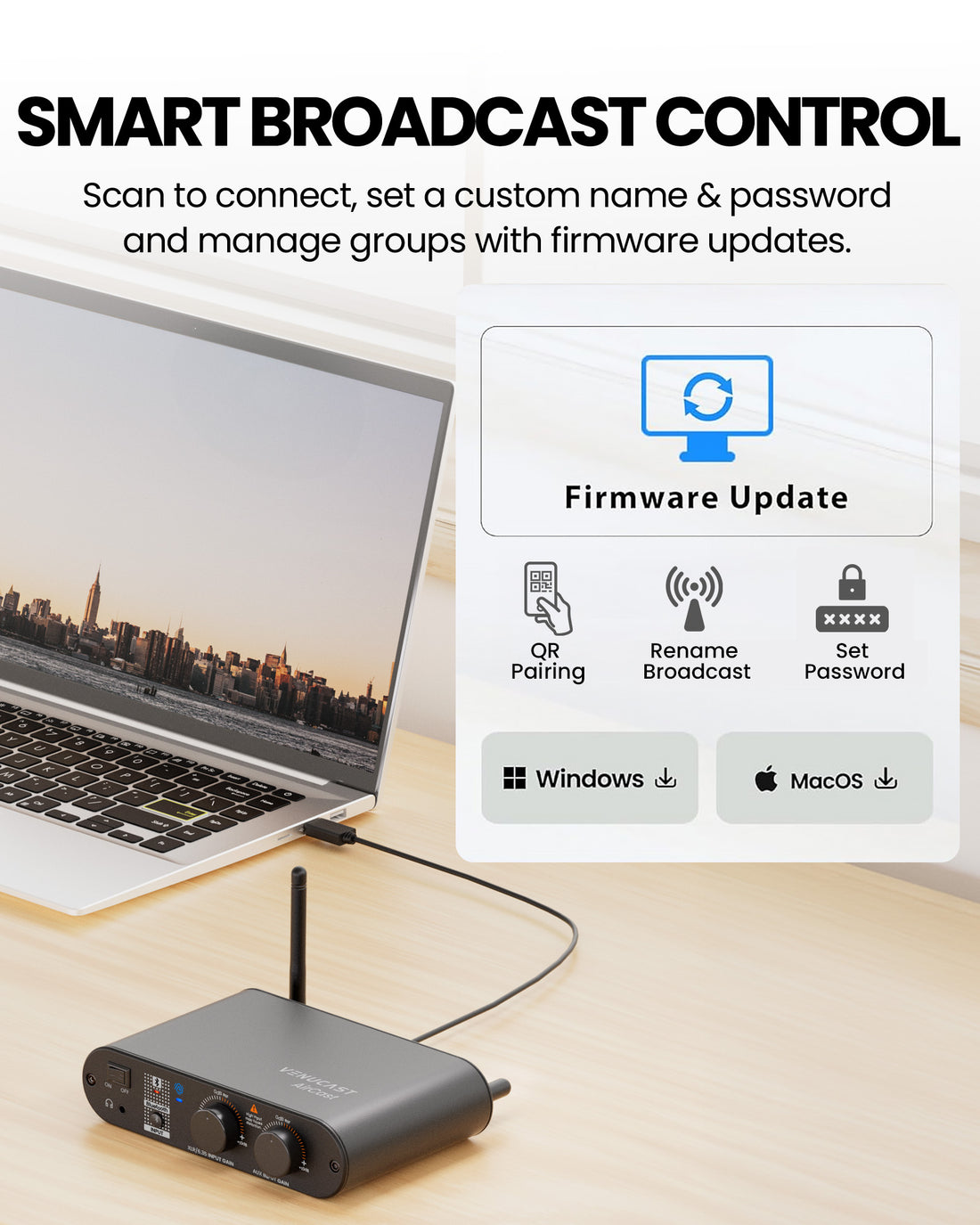
  • Easy QR access with name, password & settings control
  • Scalable system as your needs grow
  • Built-in 3.5mm monitoring port for real-time audio checks

Enhance Your System

Popular accessories customers often purchase together.

AuraClip 10RX

AuraClip 10RX

Works with Most Auracast Transmitters

$499.99
Aria Aura 4

Aria Aura 4

Bluetooth Auracast TV Headphones

$359.99
FreeMic W

FreeMic W

Wireless Headset Microphone System for Powered Speakers, Mixer, & Ven...

$59.99

Buy Direct from VenuCast

More support, longer protection, less risk.
📦

60-Day Risk-Free Returns

Double Amazon’s typical 30-day return window.

🛡

2-Year Warranty

Extended protection when purchased directly from us.

🚚

Fast Local Delivery

Ships quickly from our local warehouse.

🎧

Free Setup Support

Get help choosing and setting up the right system.

Is this system right for your venue?

Best for

  • Mid to large-sized venues
  • Churches, classrooms, and meeting spaces
  • Indoor environments with clear line-of-sight
  • Shared listening setups (typically up to ~1000 seats)
  • Venues supporting guests’ own Auracast™ devices

Not for

  • Large stadiums or arena-scale deployments
  • Outdoor or highly obstructed environments
  • Legacy-only FM or infrared systems
  • Use cases requiring ultra-low latency audio

How listeners join

1

Venue receivers

Use the included AuraClip receivers for managed venue listening.

2

Auracast hearing aids

Compatible hearing aids can join through the hearing aid app or Android Auracast assistant.

3

Auracast headphones

Compatible personal headphones can also join the broadcast through supported software flows.

Common compatible hearing aids:
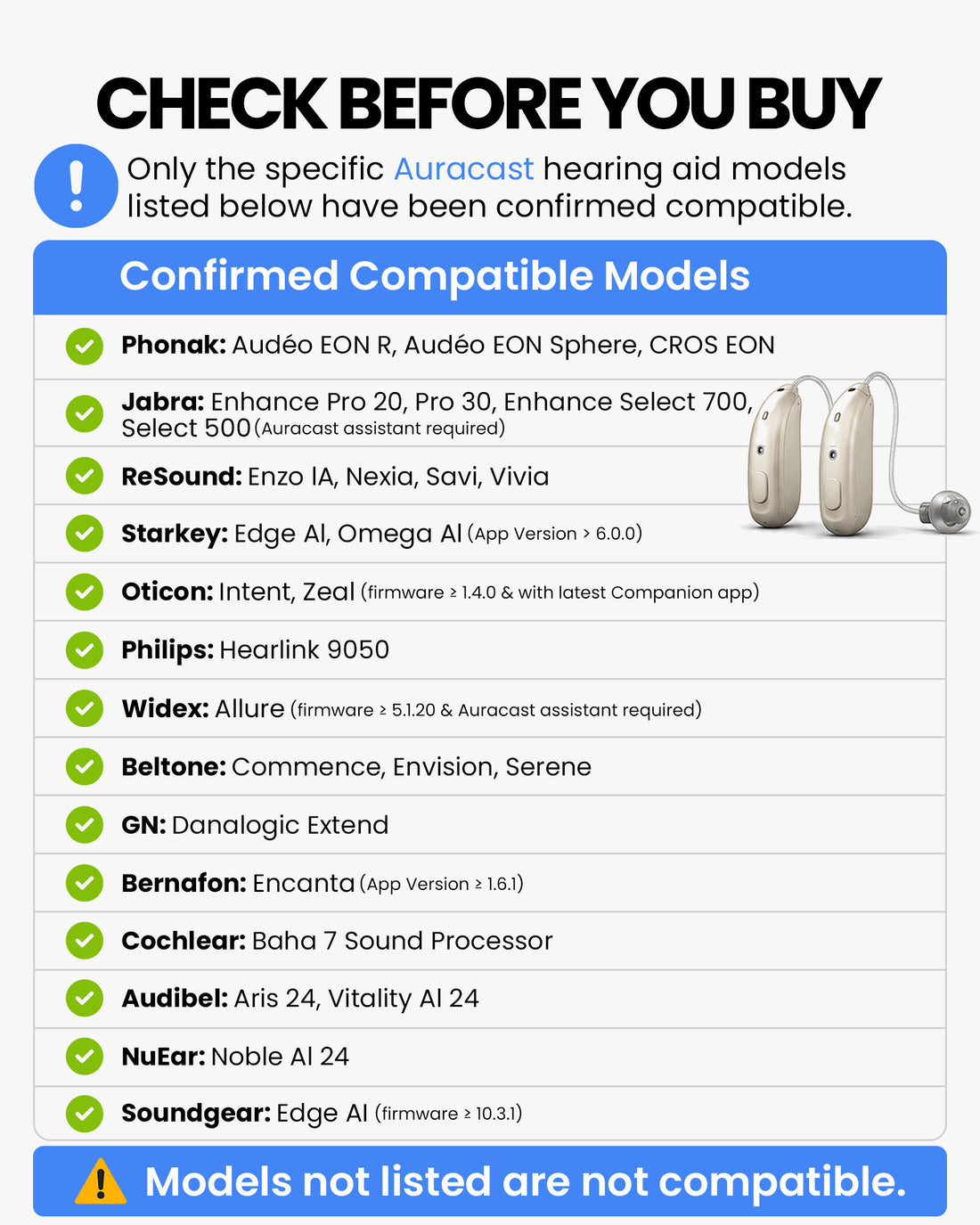
Jabra Enhance Pro 20 / 30, Enhance Select 500 / 700 Oticon Intent, Zeal ReSound Enzo AI, Nexia, Savi, Vivia Starkey Edge AI, Omega AI Beltone Commence, Envision, Serene
More compatible devices available in the
Auracast Hearing Aid Guide

Connect Your Auracast Hearing Aid

Choose your brand below to get a step-by-step connection guide. Not sure which model you have? Scan the QR code for all options.

Quick Checklist

Before You Start

  • Confirm compatibility: Make sure your hearing aids support Auracast and are listed in the brand guide. Compatibility Checker
  • Update your hearing aids: Install the latest hearing aid firmware and update your brand's mobile app.
  • Turn on Bluetooth: Keep your phone close to your hearing aids and near the VenuCast transmitter.
  • Join the broadcast: Open your hearing aid app or Android Auracast Assistant, then select the venue broadcast name.

How the system works

Simple system topology
Venue Audio Source Mixer / TV / microphone / media player
Auracast Transmitter Broadcasts your venue audio through Auracast
Listening Options
Auracast receivers Auracast hearing aids Auracast headphones
Clear Audio for Listeners Speech and program audio are delivered directly to each listener

Audio input options

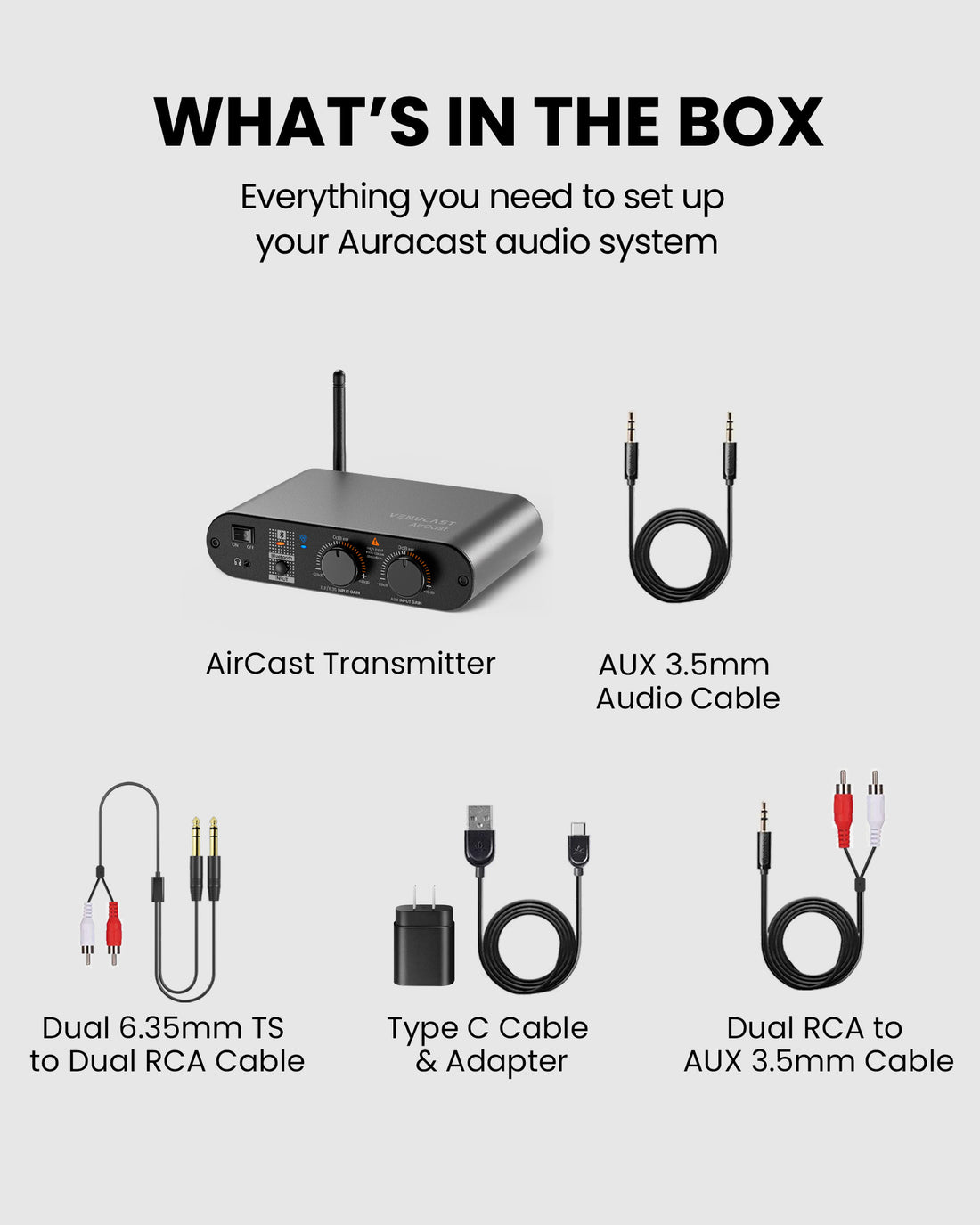
  • XLR / 6.35mm combo input for professional audio sources
  • 3.5mm AUX input for analog audio devices
  • Bluetooth input for supported wireless sources

Typical venue sources

  • Church or venue mixer output
  • Wired microphone system
  • Media playback device or PC
  • Phone or tablet audio source
System inputs and connections

Specifications

Specifications

Bluetooth Version v5.4
Bluetooth Profiles Auracast Broadcast (PBP, TMAP)
Supported Audio Codecs Auracast LC3
Audio Latency Auracast LC3: 50–70 ms
Audio Input XLR, 6.35mm, AUX 3.5mm, Bluetooth
Operating Range Up to 500 ft / 150 m to receivers
Input Voltage / Current Up to 100 ft (~30 m) from phone/PC
Power Supply DC 5V / 1A
Firmware Upgradable USB-C
Dimensions Yes (DFU support)
Weight 6.7 × 4.3 × 1.5 in (170 × 110 × 37 mm)
Power Supply 1.7 lbs (800 g)
Power Port 5V / 1–2A

Comparison Table

Model
  • Best For
  • Venue Size / Range
  • Audio Inputs
  • Mic + Background Audio Together
  • Independent Mic & Background Volume
  • Broadcast Channels
  • PoE Support
  • System Management
    • Mid-size venues
    • 300 – 1000 seats / 500 ft
    • XLR, Bluetooth, 6.35 mm, AUX
    • 1
    • PC Tool
    • Small venues
    • 300 seats / 300 ft
    • Bluetooth, AUX, Optical
    • 1
    • PC Tool
    • Large public venues
    • 1000+ seats / 650 ft
    • Phoenix, XLR, 6.35 mm, AUX
    • 2
    • Web Network
    • PC audio broadcast
    • 100 seats / 160 ft
    • USB-A
    • 1
    • None

AirCast FAQ

What makes AirCast a good Auracast transmitter for assistive listening for church & public venues?

AirCast is designed for larger churches and venues that need reliable assistive listening coverage. As a professional Auracast transmitter, it helps hearing aid users, Auracast receiver users, and headphone users hear the same clear audio from the venue sound system.

Is AirCast easy to set up in a church or similar venue?

Yes. AirCast is designed for public venues such as churches, theaters, classrooms, and event spaces. It offers simple plug-and-play setup through XLR, AUX 6.35mm, or Bluetooth input, with no complex infrastructure required.

How does AirCast connect to a church sound system?

AirCast includes dual XLR inputs, allowing it to connect directly to a professional soundboard or mixer. It can also work with AUX 6.35mm sources, making it flexible for different AV setups.

Can AirCast work with a microphone system?

Yes. AirCast can broadcast audio from an existing microphone system when that microphone audio is routed through your mixer or soundboard. It is not intended for plugging a microphone directly into the unit.

How many people can listen at the same time?

With Auracast one-to-many broadcasting, AirCast can support unlimited compatible Auracast listeners at the same time, including supported hearing aids, Auracast receivers, earbuds, and headphones.

Do users need to pair their devices?

No traditional Bluetooth pairing is required. Users can join the broadcast from their own Auracast-compatible hearing aids, headphones, receivers, or supported apps, depending on the device they use.

Will it work for both hearing aid users and regular listeners?

Yes. AirCast is built for inclusive venue audio. It can serve Auracast hearing aid users while also supporting regular listeners using compatible Auracast receivers, earbuds, or headphones.

How large of a space can AirCast cover?

AirCast can transmit up to approximately 500–600 feet in line-of-sight conditions, making it suitable for larger churches, halls, auditoriums, classrooms, and event spaces with roughly 300–1000 attendees.

What is the latency of AirCast?

Typical Auracast latency is around 50–70 ms, similar to being physically about 17 meters from the sound source. This is suitable for speech, sermons, presentations, and general venue audio, but may not be ideal for live music or instrument monitoring.

Can AirCast be mounted in an AV rack or on the wall?

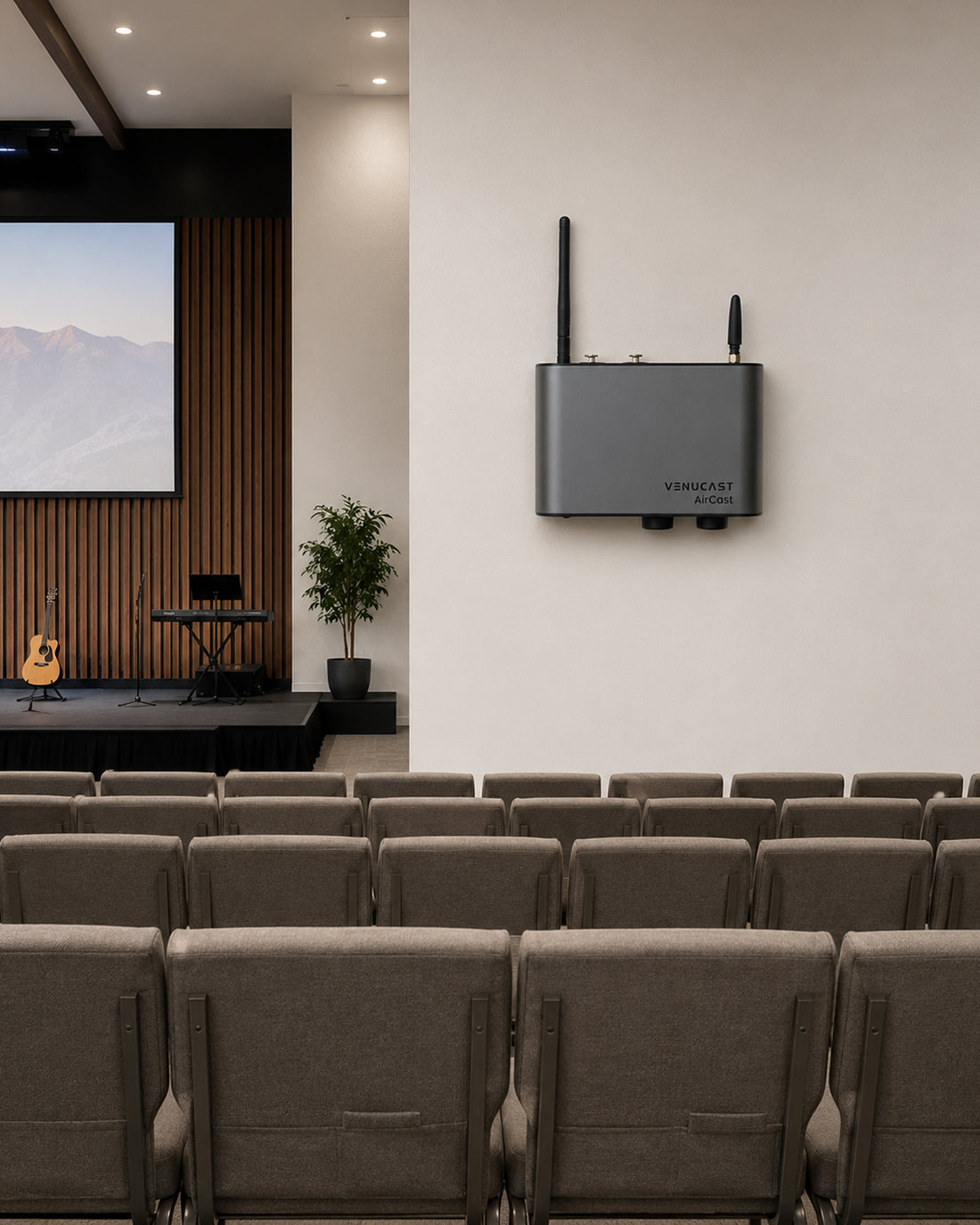
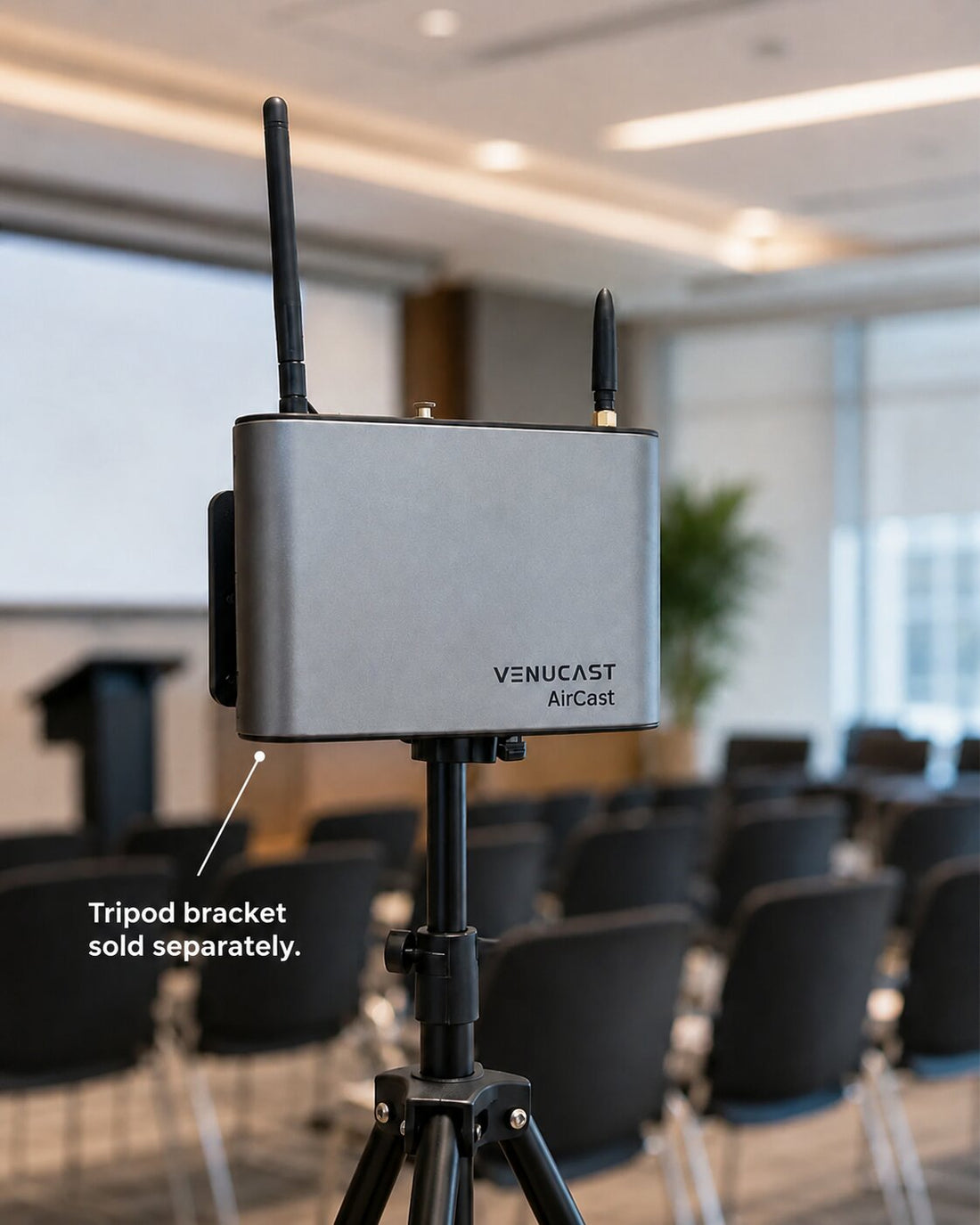
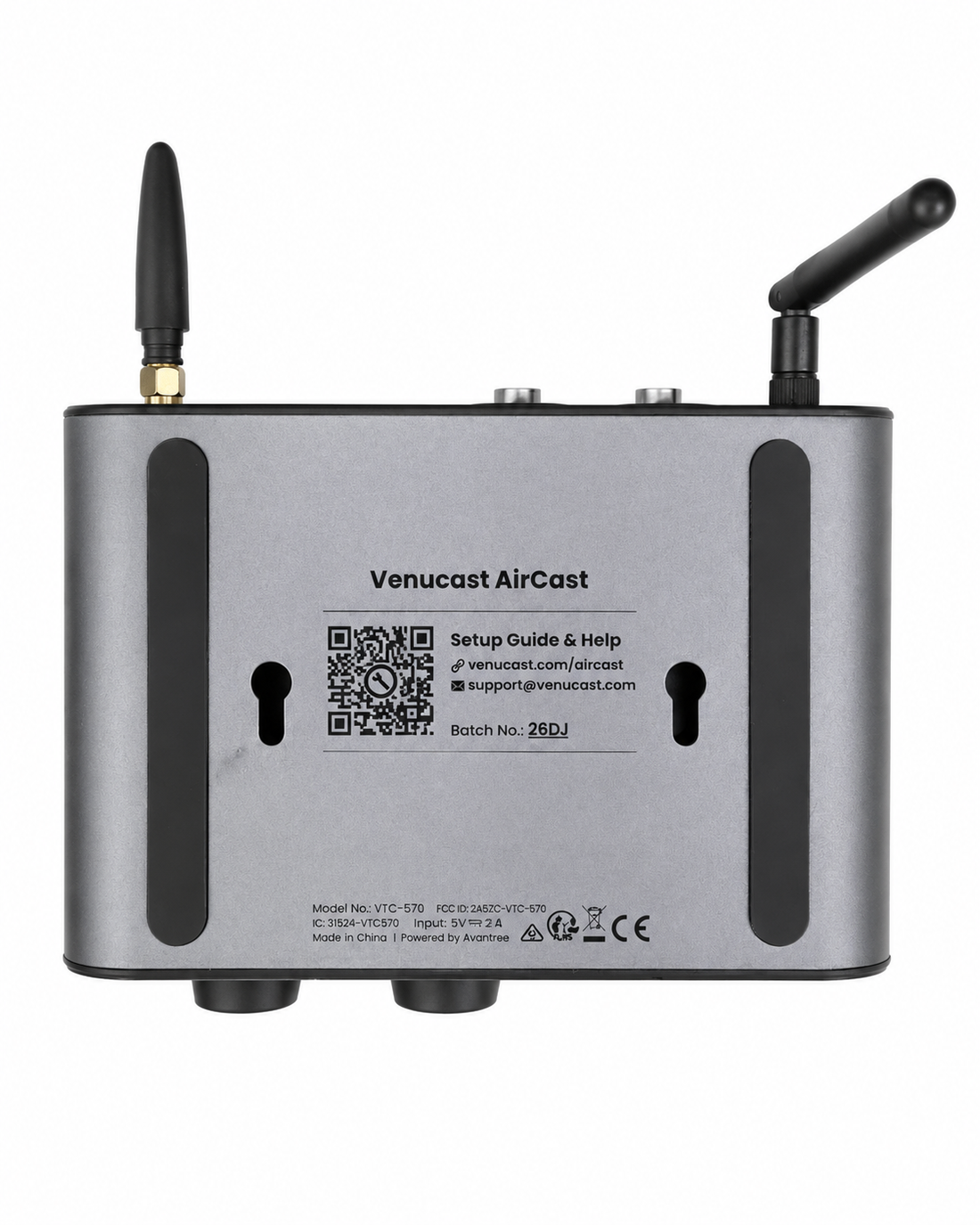
Yes. AirCast is designed for professional installation. It can be placed in an AV equipment rack or cabinet, and it also supports wall mounting for clean and secure venue setup.