Auracast Group Listening System

AuraPlex H4

Auracast group listening with one transmitter and four wireless headphones.

$499.99

Checking the fastest delivery option…

Firmware Update Alerts

Get notified when new AuraPlex H4 firmware is available.

Firmware updates only. No marketing emails.
Fast ShippingReliable Delivery
60-Day Free ReturnsHassle-Free
Bulk DiscountVolume Pricing Available
Free Setup SupportVenue Specialist Included
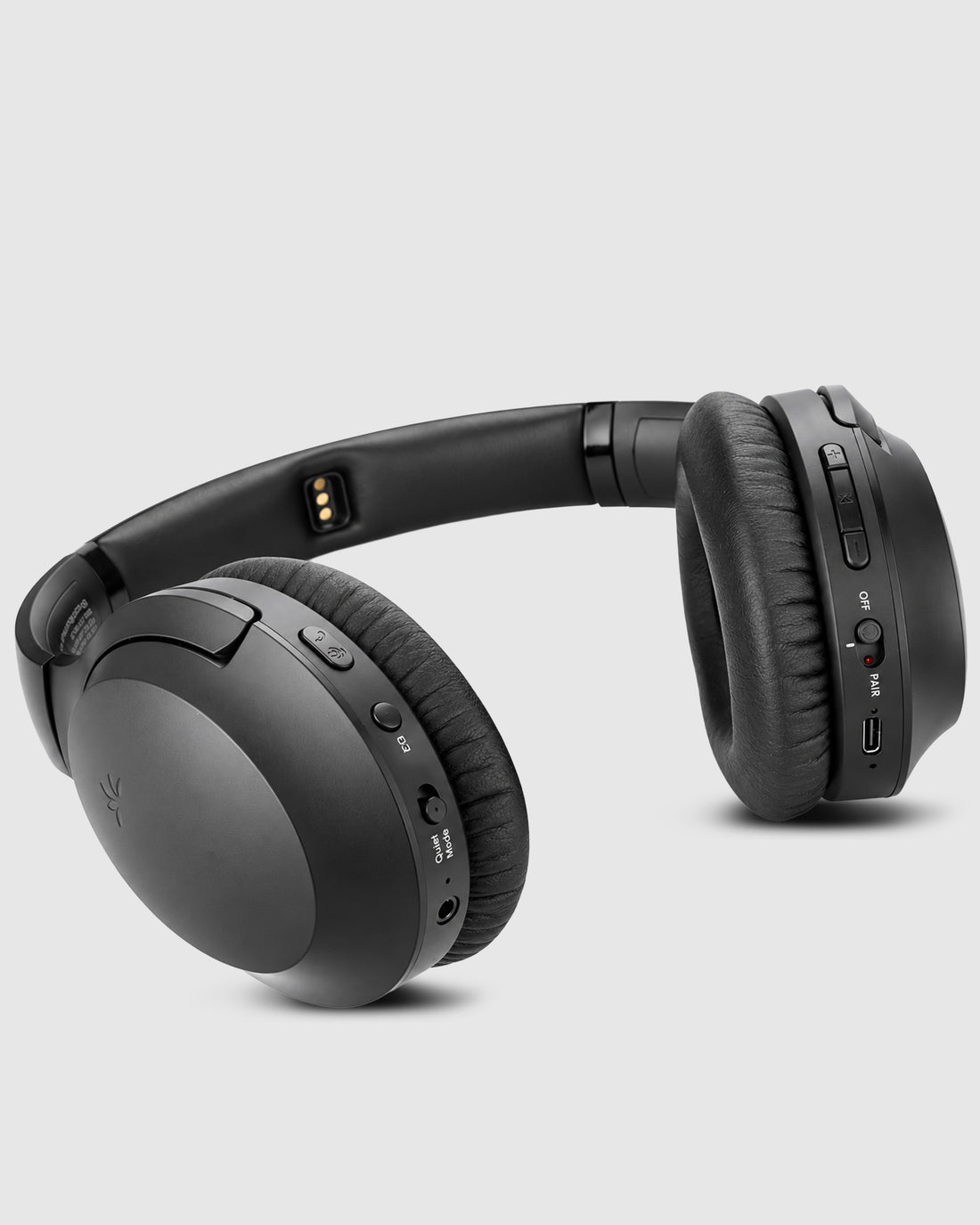
  • Complete listening kit – Includes one Oasis Aura transmitter and four Aria Aura headphones.
  • Simple group listening – Included headphones let guests listen without bringing their own devices.
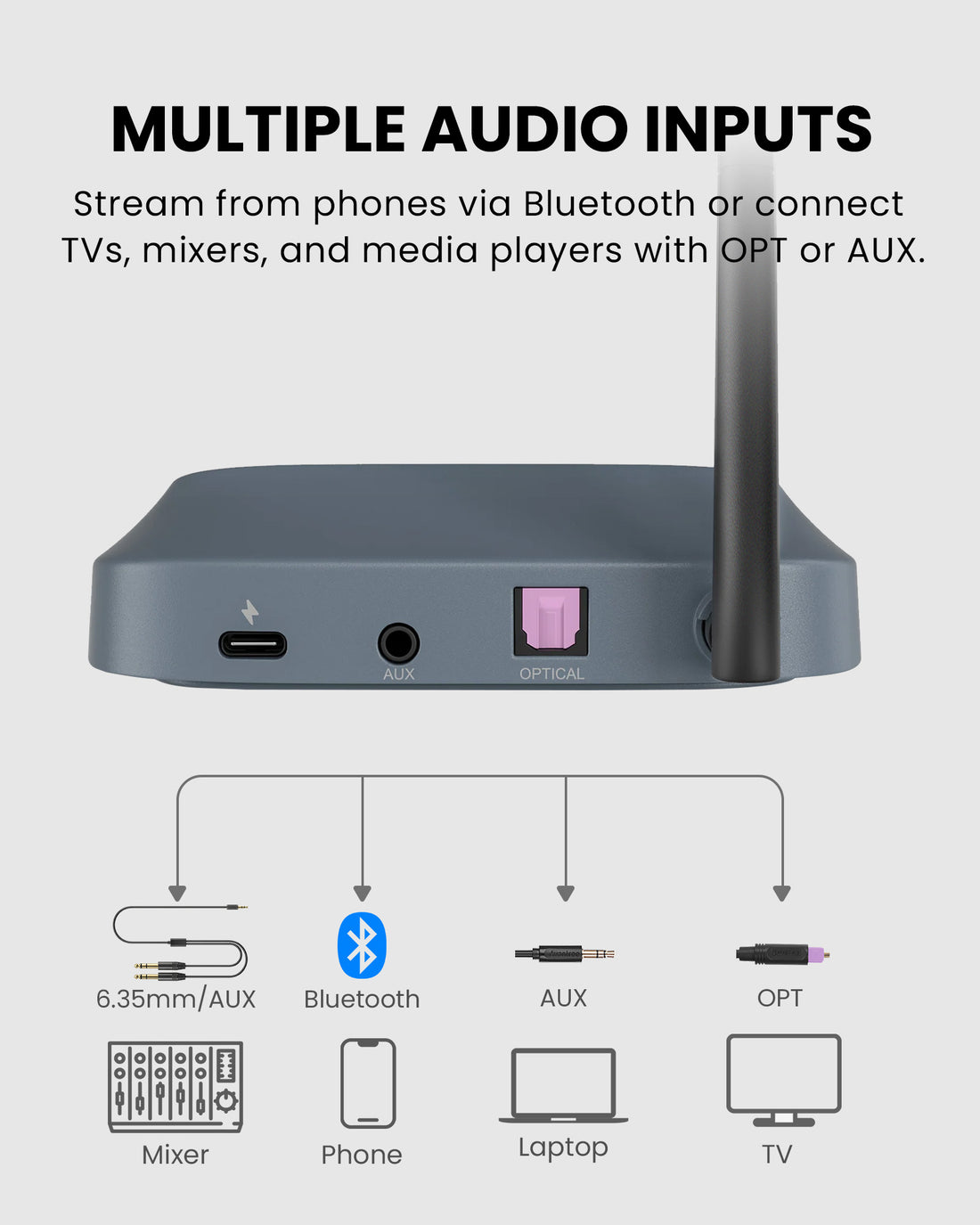
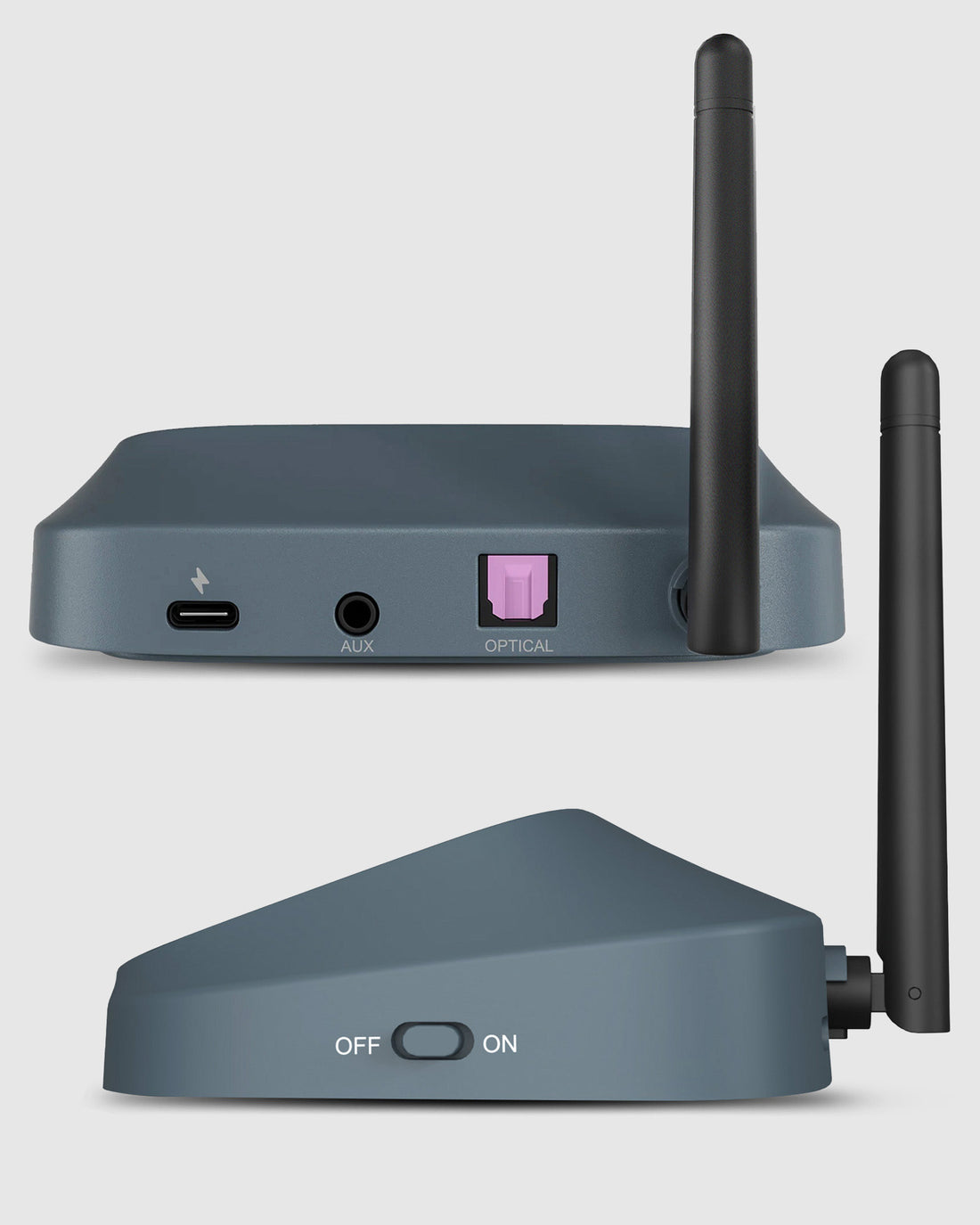
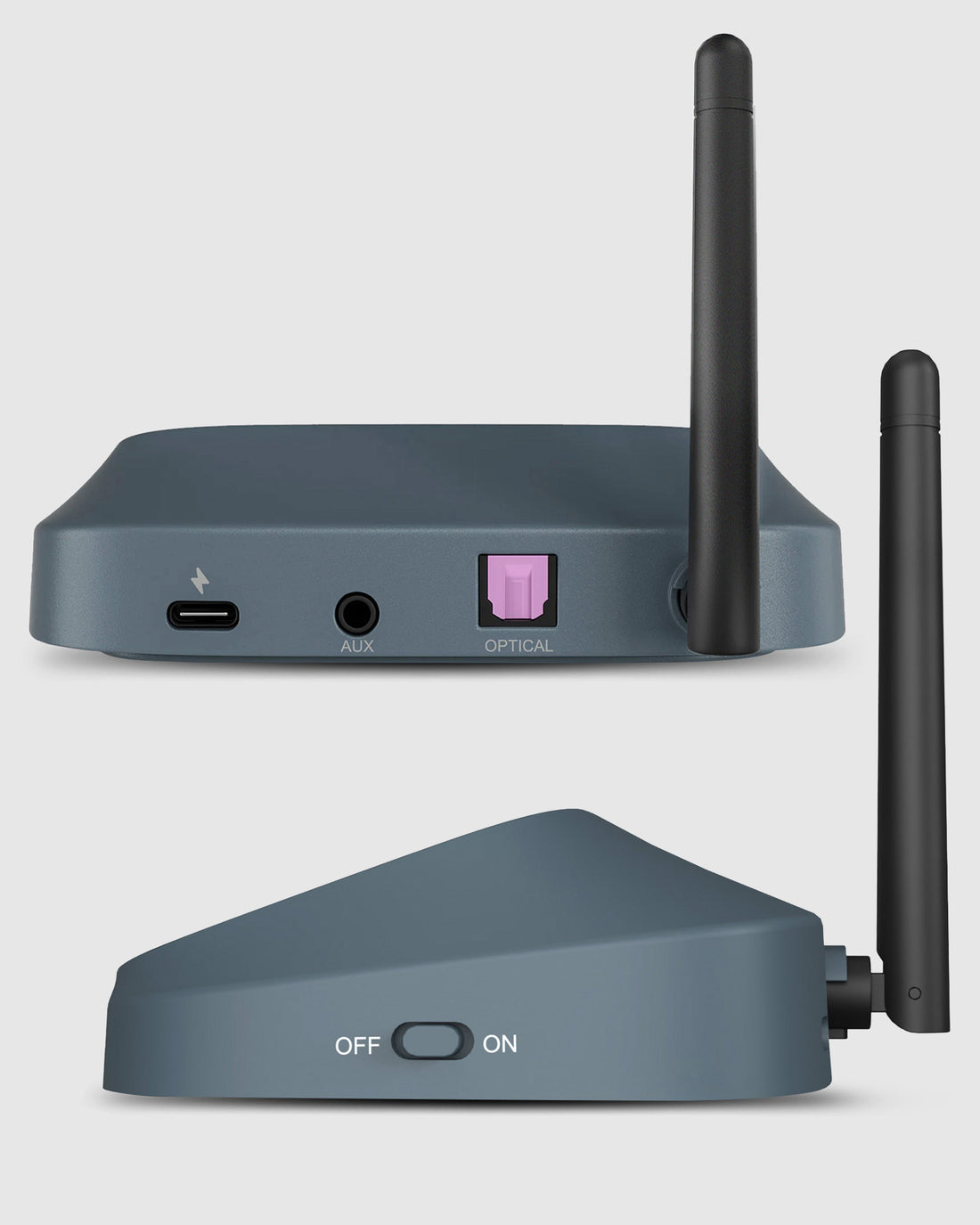
  • Flexible audio inputs – Connect a compatible TV, mixer, phone, or laptop via AUX, optical, or Bluetooth.
  • Expandable listening – Add compatible Auracast headphones and receivers as your group grows.
  • Made for shared audio – Designed for small venues, classrooms, training sessions, and events.
AuraPlex H4 $499.99

You Don’t Need New Auracast Hearing Aids

VenuCast works with the hearing devices people already use.

  1. Venue Audio
  2. Auracast
  3. Choose how you listen
Modern Auracast hearing aid

Auracast hearing aids

Connect directly to the Auracast broadcast.

Direct Auracast

Traditional hearing aids with an AuraCoil receiver

T-Coil hearing aids

Use AuraCoil to hear through the hearing aid’s T-Coil.

AuraCoil

Traditional Bluetooth hearing aids Aura C receiver connected to a phone

Bluetooth hearing aids

Use Aura C as a bridge for compatible Bluetooth hearing aids.

Aura C

AuraClip Auracast receiver VenuCast wired on-ear headphones

No hearing aids

Use a receiver with headphones or earbuds.

Receiver + Headphones

Bottom line: One Auracast broadcast can serve many different listeners.

01 · Build your system

View all Add-ons & Accessories

02 · How it works

How it works with your devices

Audio sources

  • TV with optical or AUX audio output
  • Mixer or microphone system with compatible audio output
  • Phone or laptop via supported Bluetooth or AUX audio output
Find the right cable

Product

AuraPlex H4
AuraPlex H4

Listener pathways

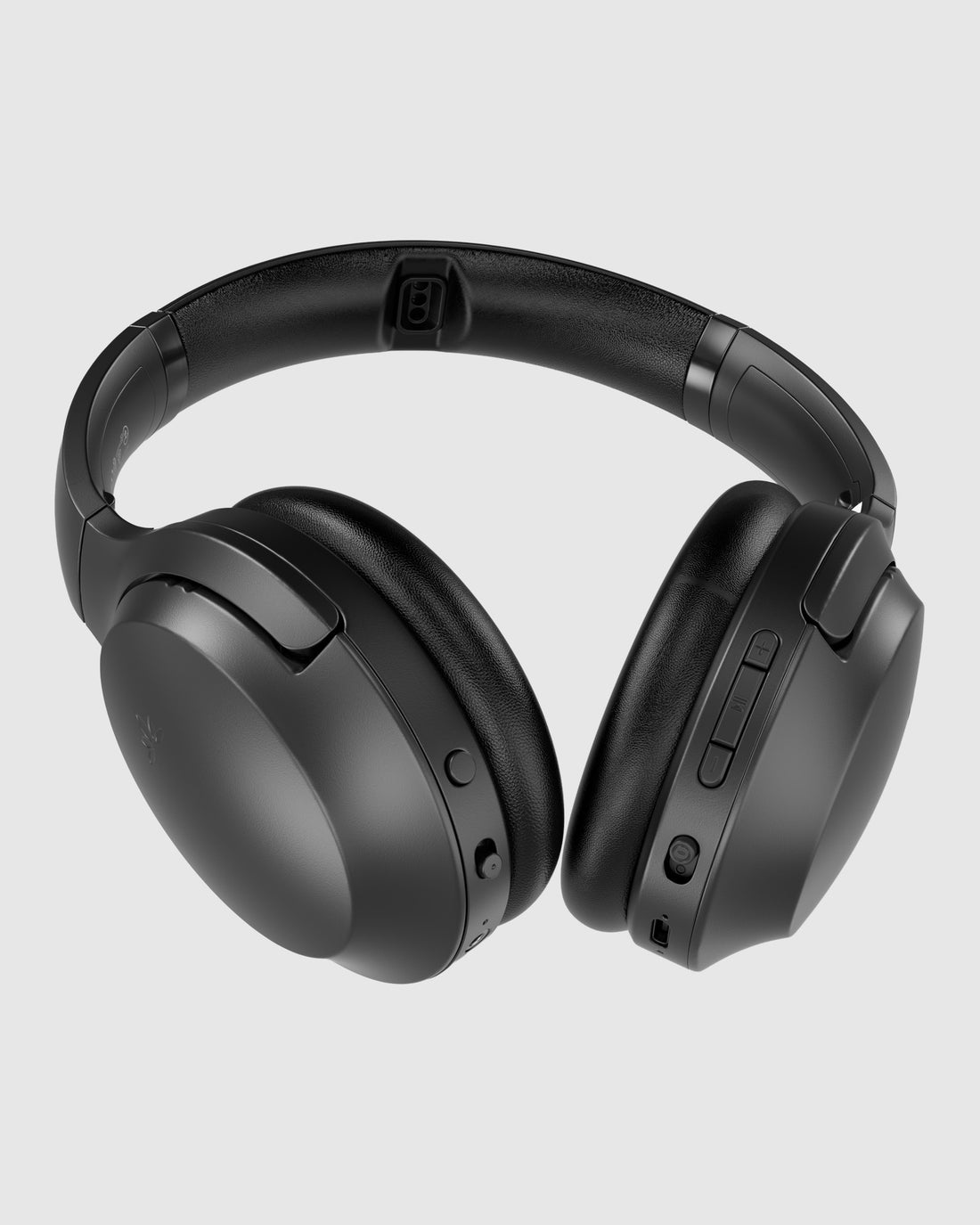
  • Included headphonesFour Aria Aura headphones are included for managed group listening.
  • Additional Auracast devicesCompatible Auracast headphones, receivers, and hearing aids can join through their supported connection methods.

03 · Where it fits

Where it fits

⛪ Churches

⛪ Churches

Share service audio with listeners using the included headphones.

🏫 Classrooms

🏫 Classrooms

Deliver lesson audio to a small group with shared headphones.

🎤 Training & events

🎤 Training & events

Provide group listening for training sessions and venue demos.

04 · Product details

Product details

Key specifications

Wireless technology
Auracast broadcast audio
Included transmitter
1 × Oasis Aura (VTC-500K)
Included headphones
4 × Aria Aura (VHS-AS90R)
Audio inputs
AUX, optical, Bluetooth
Expansion
Additional compatible Auracast headphones and receivers

Simple setup

  1. 1Connect your audio sourceConnect the Oasis Aura transmitter to a compatible audio output using AUX, optical, or supported Bluetooth input.
  2. 2Power the systemPower the transmitter and turn on the included Aria Aura headphones; follow the AuraPlex H4 setup guide.
  3. 3Start group listeningPlay your source audio and adjust the listening volume. Use the compatibility guide when adding personal Auracast devices.
In the box
  • 4 × Aria Aura headphones
  • 1 × Oasis Aura transmitter
  • Power cable for transmitter
  • 3-in-1 charging cable for headphones
  • Optical audio cable
  • 3.5mm AUX audio cable

05 · Common questions

Common questions

What is included in AuraPlex H4?

The kit includes four Aria Aura headphones, one Oasis Aura transmitter, a transmitter power cable, a 3-in-1 headphone charging cable, an optical audio cable, and a 3.5mm AUX audio cable.

Do guests need to bring their own devices?

No. Guests can use the four included Aria Aura headphones for group listening.

Can I add more listeners?

Yes. Additional compatible Auracast headphones and receivers can be added to the broadcast.

Can hearing aids connect directly?

Compatible Auracast-enabled hearing aids can join through supported connection methods. Check the hearing aid model and the compatibility guide before use.

Which audio sources can I connect?

Use a compatible TV, mixer, phone, laptop, or microphone system with an appropriate AUX, optical, or supported Bluetooth audio output.

Designed for straightforward installation

Venue Audio Made Simple

No rewiring. No complicated setup. Connect Venucast to the audio system you already have.

Mixer / Soundboard / PA System
Auracast Transmitter
Auracast Hearing Aids / T-Coil Hearing Aids