Wired T-coil neckloop • 3.5 mm connection

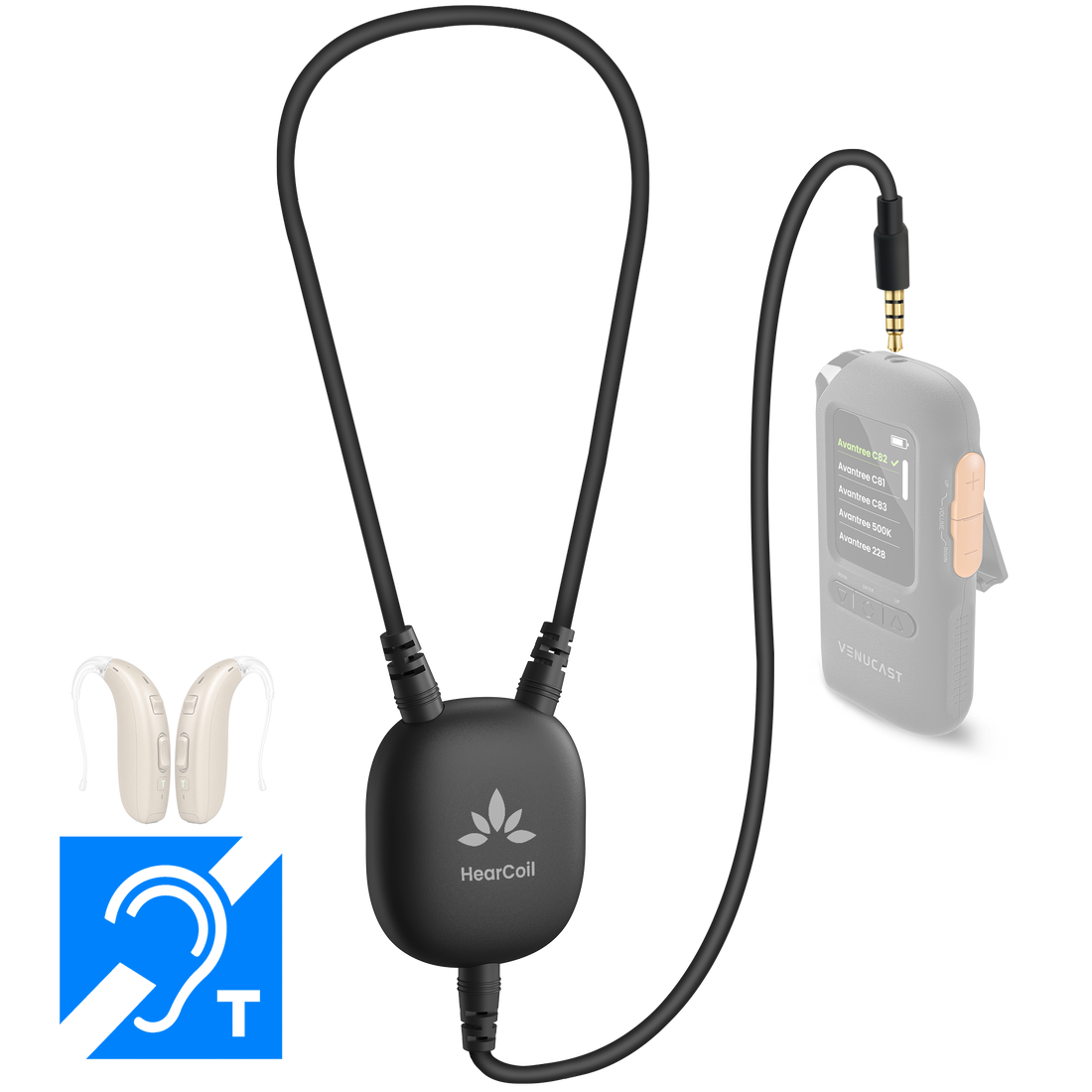
HearCoil Wired Neckloop for T-Coil Hearing Aids

Connect a compatible Venucast receiver to telecoil-equipped hearing aids for simple personal and venue listening.

3.5 mm wired ConnectionTelecoil T or MT Hearing aid modeAuraClip VRC-240 or AuraView VRC-250 Compatible receivers
$69.99

Checking the fastest delivery option…

Firmware Update Alerts

Get notified when new HearCoil Wired Neckloop for T-Coil Hearing Aids firmware is available.

Firmware updates only. No marketing emails.
Fast ShippingReliable Delivery
60-Day Free ReturnsHassle-Free
Bulk DiscountVolume Pricing Available
Free Setup SupportVenue Specialist Included
  • Listen Through Your Own Hearing Aids – Routes compatible receiver audio to telecoil-equipped hearing aids.
  • Works with AuraClip and AuraView – Connects to the 3.5 mm audio output on VRC-240 or VRC-250.
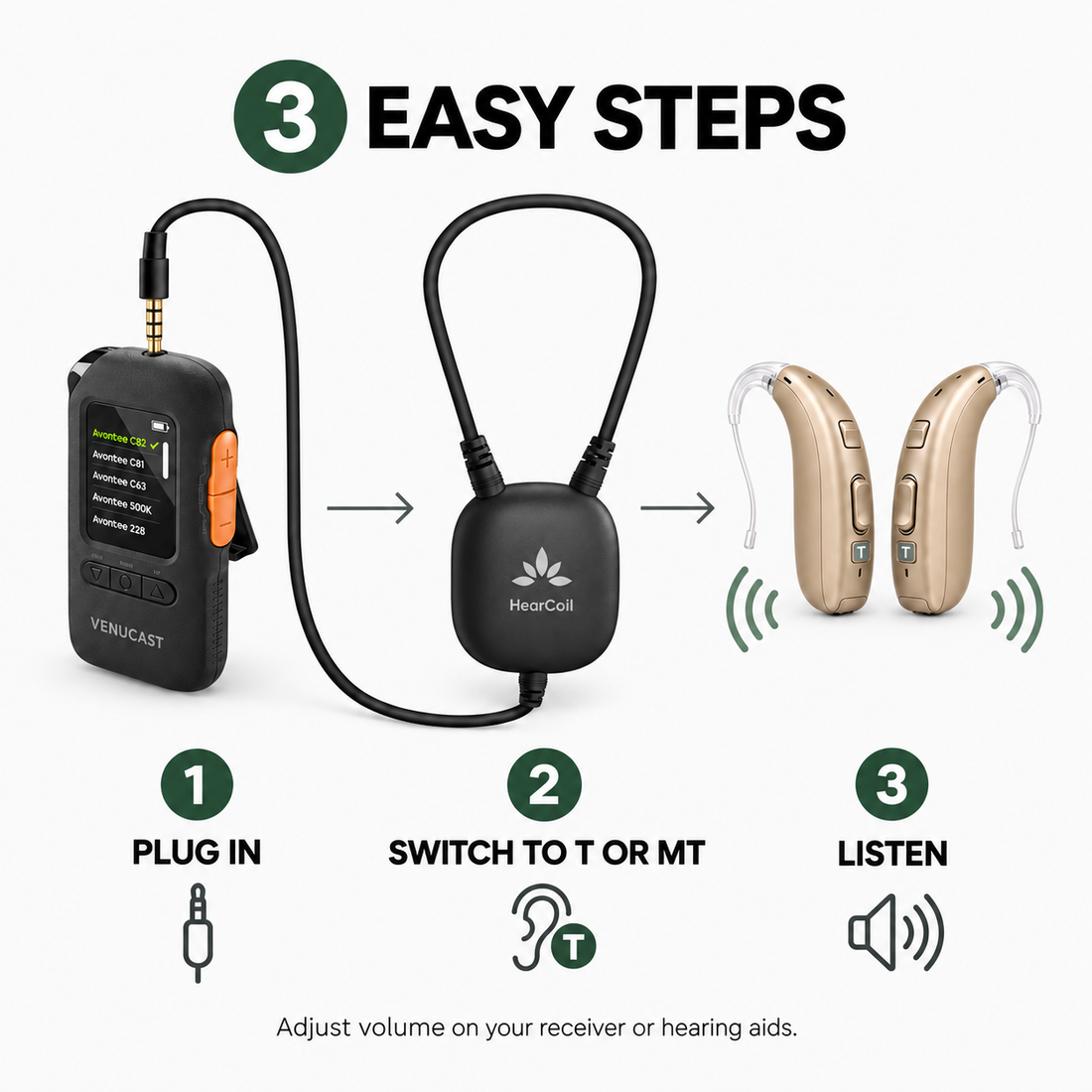
  • Simple Three-Step Setup – Plug in the neckloop, wear it, and select T or MT mode.
  • Familiar Volume Control – Adjust listening volume on the receiver or hearing aids.
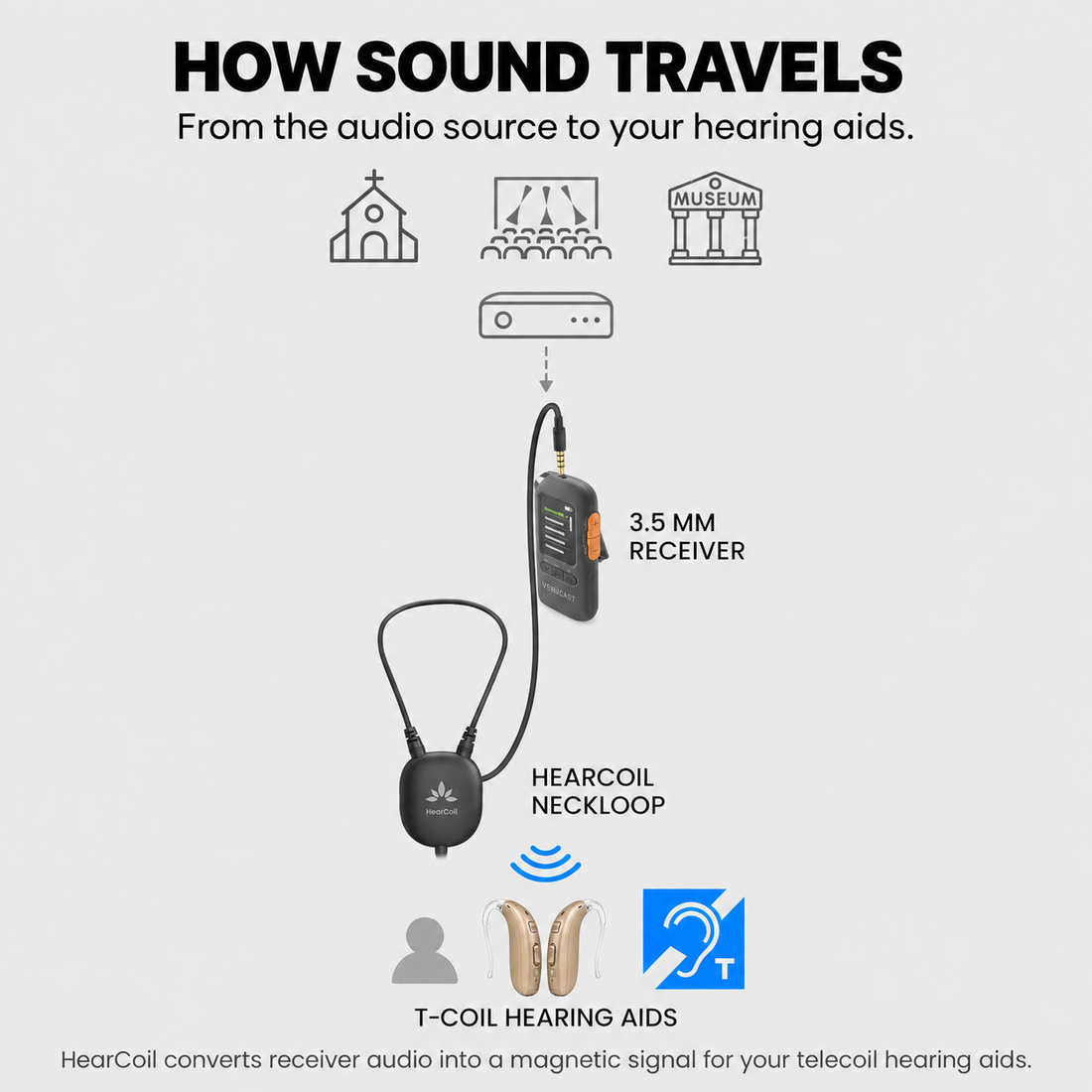
  • Personal and Venue Listening – Suitable for churches, theaters, conferences, tours, classrooms, museums, and senior living.
HearCoil Wired Neckloop for T-Coil Hearing Aids $69.99

You Don’t Need New Auracast Hearing Aids

VenuCast works with the hearing devices people already use.

  1. Venue Audio
  2. Auracast
  3. Choose how you listen
Modern Auracast hearing aid

Auracast hearing aids

Connect directly to the Auracast broadcast.

Direct Auracast

Traditional hearing aids with an AuraCoil receiver

T-Coil hearing aids

Use AuraCoil to hear through the hearing aid’s T-Coil.

AuraCoil

Traditional Bluetooth hearing aids Aura C receiver connected to a phone

Bluetooth hearing aids

Use Aura C as a bridge for compatible Bluetooth hearing aids.

Aura C

AuraClip Auracast receiver VenuCast wired on-ear headphones

No hearing aids

Use a receiver with headphones or earbuds.

Receiver + Headphones

Bottom line: One Auracast broadcast can serve many different listeners.

01 · Build your system

View all Add-ons & Accessories

02 · How it works

How it works with your devices

Audio sources

  • Auracast transmitter (e.g., AirCast 570 or Oasis Aura 500K)
  • Public Auracast broadcast
Find the right cable

Product

HearCoil Wired Neckloop for T-Coil Hearing Aids

Listener pathways

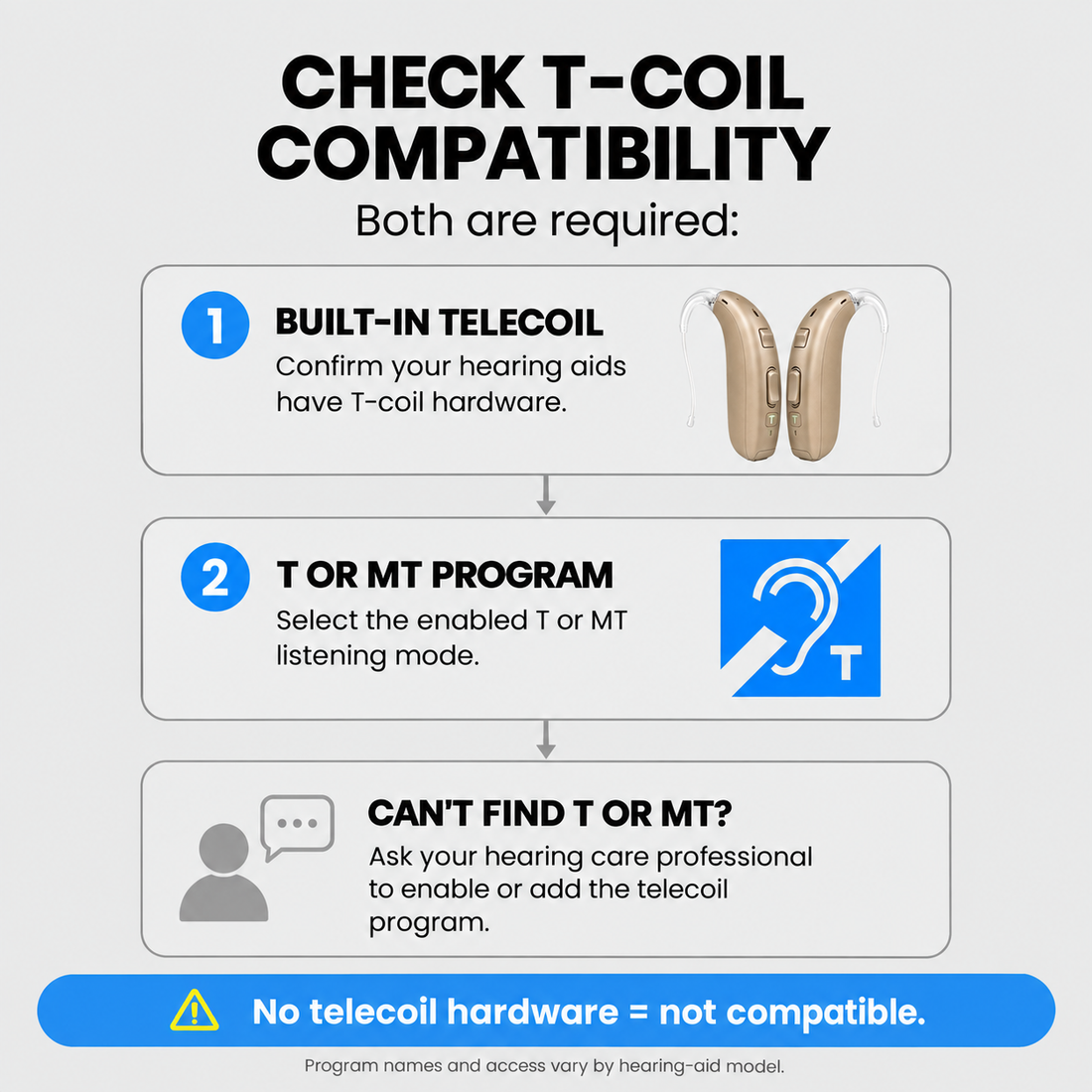
  • T-coil hearing aidsConnect HearCoil to the receiver, wear the loop, and switch your telecoil-enabled hearing aids to an enabled T or MT program. If the program is unavailable, ask your hearing care professional to enable it.

03 · Where it fits

Where it fits

Churches & Theaters

Churches & Theaters

Listen through your own telecoil hearing aids during services, performances, and auditorium programs.

Conferences & Classrooms

Conferences & Classrooms

Route compatible receiver audio directly to T-coil hearing aids for lectures, meetings, and learning spaces.

Tours & Museums

Tours & Museums

Use a compatible portable Venucast receiver with your own hearing aids for guided listening.

Personal & Senior Living

Personal & Senior Living

Provide familiar listening through telecoil-equipped hearing aids without changing to separate headphones.

Designed for listening through the user's own telecoil-equipped hearing aids in personal and shared venue environments.

04 · Product details

Product details

Key specifications

Product type
Wired T-coil neckloop
Connector
3.5 mm
Hearing aid compatibility
Telecoil-enabled hearing aids using T or MT mode
Volume control
Adjust on the receiver or hearing aids
Receiver compatibility
Standard 3.5 mm audio output; recommended with AuraClip VRC-240 and AuraView VRC-250
SKU
VHL-038

Simple setup

  1. 1Connect the neckloopPlug HearCoil into the standard 3.5 mm audio output on a compatible receiver. For a Venucast setup, we recommend AuraClip VRC-240 or AuraView VRC-250.
  2. 2Wear it around your neckPlace the neckloop comfortably around your neck while keeping the receiver within easy reach.
  3. 3Select T or MT modeSwitch your telecoil-equipped hearing aids to T or MT mode, then adjust volume on the receiver or hearing aids.
In the box
  • 1 × HearCoil wired T-coil neckloop
  • Receiver and hearing aids sold separately

05 · Common questions

Common questions

Which hearing aids work with HearCoil?

HearCoil is designed for hearing aids equipped with a telecoil. Select T or MT mode on the hearing aids to listen.

Which Venucast receivers are compatible?

HearCoil connects to the 3.5 mm audio output on AuraClip VRC-240 and AuraView VRC-250 receivers.

How do I adjust the volume?

Adjust the listening volume on the connected receiver or on your hearing aids. HearCoil does not add separate controls.

How do I set up HearCoil?

Plug it into a compatible receiver, wear the loop around your neck, and switch your hearing aids to T or MT mode.

What is included in the box?

The package includes one HearCoil wired T-coil neckloop. The receiver and hearing aids are sold separately.

Designed for straightforward installation

Venue Audio Made Simple

No rewiring. No complicated setup. Connect Venucast to the audio system you already have.

Mixer / Soundboard / PA System
Auracast Transmitter
Auracast Hearing Aids / T-Coil Hearing Aids