START WITH YOUR VENUE
Build Your System
Choose a transmitter, listening devices, and quantities for a custom venue system.


Complete Auracast systems
Choose a ready-made system, or build a custom configuration around your venue, listeners, and audio source.
Choose a transmitter, listening devices, and quantities for a custom venue system.

AirCast transmitter, 10 AuraClip receivers, and a charging dock for managed venue listening.

AirCast transmitter, four AuraView receivers, and a charging dock for visible channel selection.

AirCast transmitter, 10 AuraView receivers, and a charging dock for larger listener groups.

AirCast transmitter with four Eon Aura headphones and a four-bay charging stand.

AirCast transmitter with four Aria Aura headphones and a charging stand.

AirCast transmitter with four Lite Aura headphones for individually controlled venue listening.

AirCast transmitter with two Aura C receivers for compatible venue caption displays.

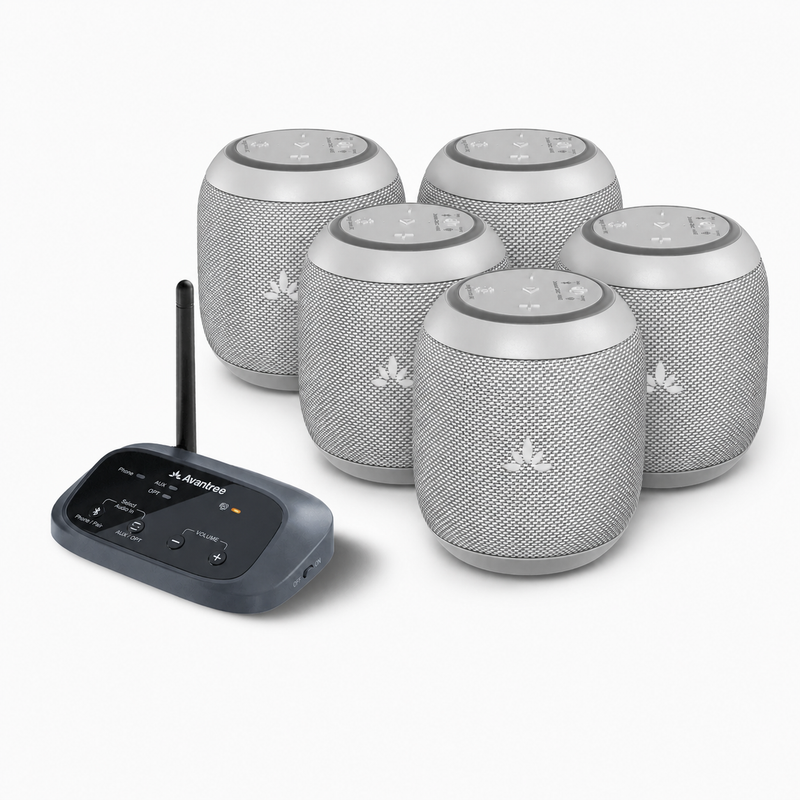
An Auracast transmitter and five compact speakers for shared audio across smaller spaces.
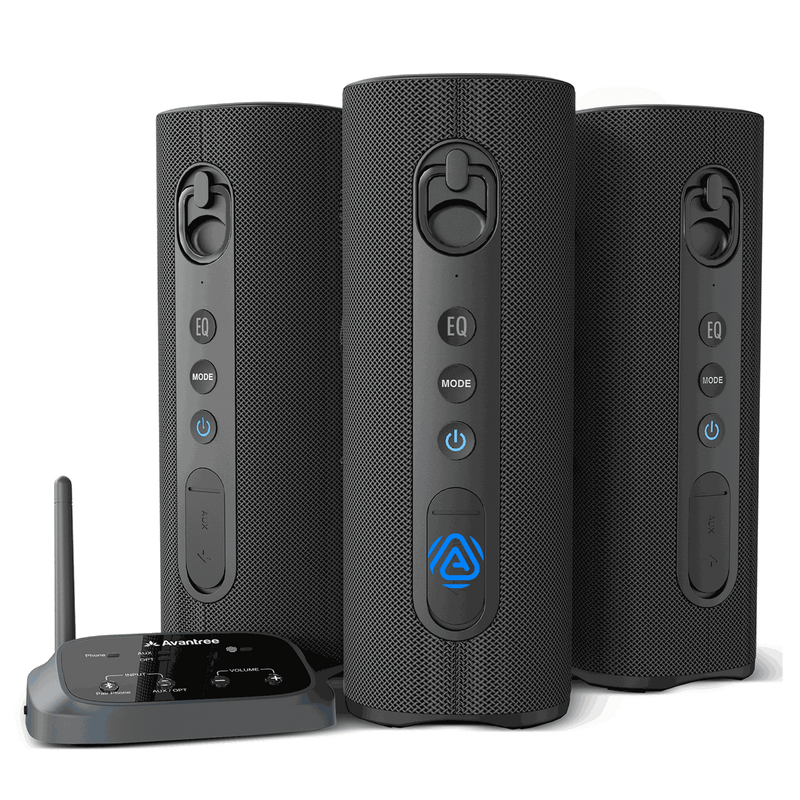
A wireless Auracast speaker system for events, public spaces, and multi-room listening.
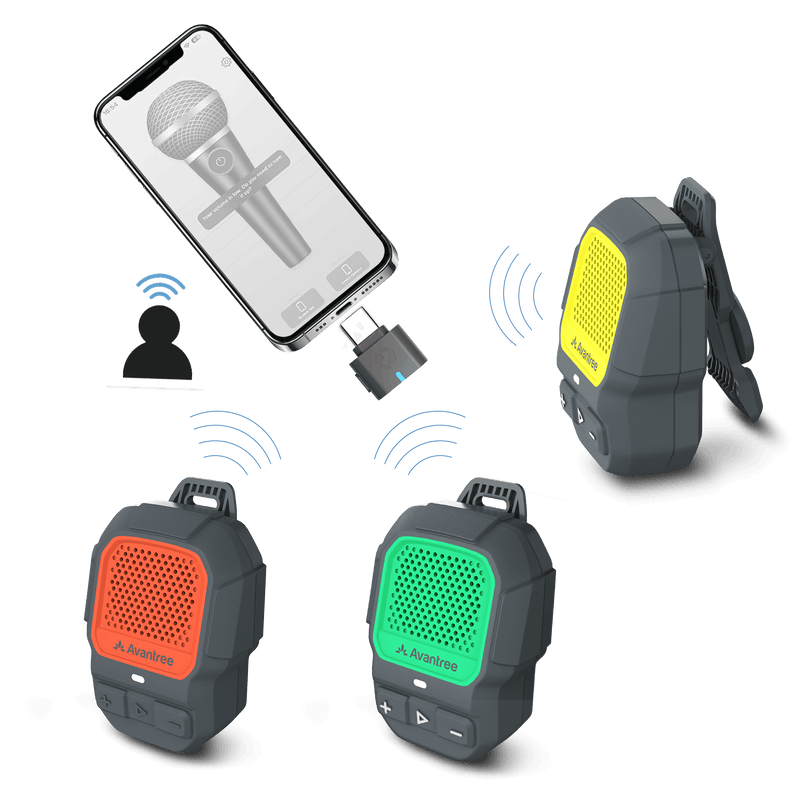
Clip-on waterproof speakers for tours, group activities, and shared portable listening.
Side by side
The same products, compared by purpose. Start with what your guests need to hear or see.
Scroll sideways to see all details
| System | Purpose | Best for | Devices / listening style | Setup notes | Price |
|---|---|---|---|---|---|
| AuraPlex M3 | Personal listening | Small venues and first deployments | Clip-on receivers with wired listening devices | Starter kit; check the package contents for your audio source. | $329.99 |
| AuraPlex Pro MX | Personal listening | A larger pool of venue loan receivers | 10 AuraClip receivers | AirCast transmitter and charging dock included. | $999.99 |
| AuraPlex H4 Pro | Personal listening | Simple headphone handout | 4 Aria Aura Pro headphones | AirCast transmitter with headphone charging. | $799.99 |
| 53901 | See product details | See product details | See product details | See product details | $1,199.99 |
| Harmony A1 | Shared audio | Events and shared listening spaces | Auracast speaker system | Audio plays through speakers for the group to hear. | $299.99 |
| Harmony A2 | Shared audio | Multi-room listening and everyday spaces | Auracast speaker system | Check speaker placement and the audio-source connection. | $319.99 |
| ShareCast | Shared audio | Tours and group activities | Wearable clip-on speakers | Check the selected set and source-device requirements. | $149.99 |
| AuraCaption Kit | Live captions | Displaying captions in a venue | 1 AirCast transmitter + 2 Aura C receivers | Requires compatible computers, displays and third-party apps; these are not included. | $449.99 |
| AuraPlex Pro-Lite 4 | See product details | See product details | See product details | See product details | $599.99 |
Prices follow the current product listings. Kit quantities describe the included equipment, not a guaranteed venue capacity. Check the product page for package contents and availability.
FOR EXPERIENCED USERS
Choose a model and quantity, then confirm to review it below. Select “Add another” to create a new row for another model.
Not sure? Help me chooseVenue setup finder
Tell us about your venue and how guests need to listen.
Common questions
Choose based on your room size, audio source, and how many listeners need a provided device. Smaller kits are usually enough for simple rooms or demos, while churches, theaters, schools, and larger venues may need kits with more receivers, charging docks, or support for multiple audio sources.
No. Listeners with Auracast-enabled hearing aids can connect directly, while guests without compatible hearing aids can use Venucast receivers, headphones, neckloops, or ShareCast speakers, depending on the kit.
No. Auracast uses Bluetooth LE Audio broadcast technology, so it does not rely on venue Wi-Fi. This is helpful for churches, schools, tours, and public spaces where Wi-Fi may be unreliable.
Auracast is designed for one-to-many listening. Each kit includes a starting number of listening devices, and you can add more compatible receivers, headphones, or speakers as your audience grows.
Yes. Most kits connect to an existing TV, mixer, PA system, microphone setup, computer, or other audio source through the transmitter. For larger or professional installations, we recommend confirming room size, audio source, listener count, and any latency or compliance requirements before choosing the final setup.

READY FOR SUNDAY
Help worshipers discover the service and connect confidently with a ready-made communication pack for a smoother Auracast rollout.
Pre-order now — estimated to ship in late September 2026.